




 995 / 1133

ELECTRICAL
223
Display screen
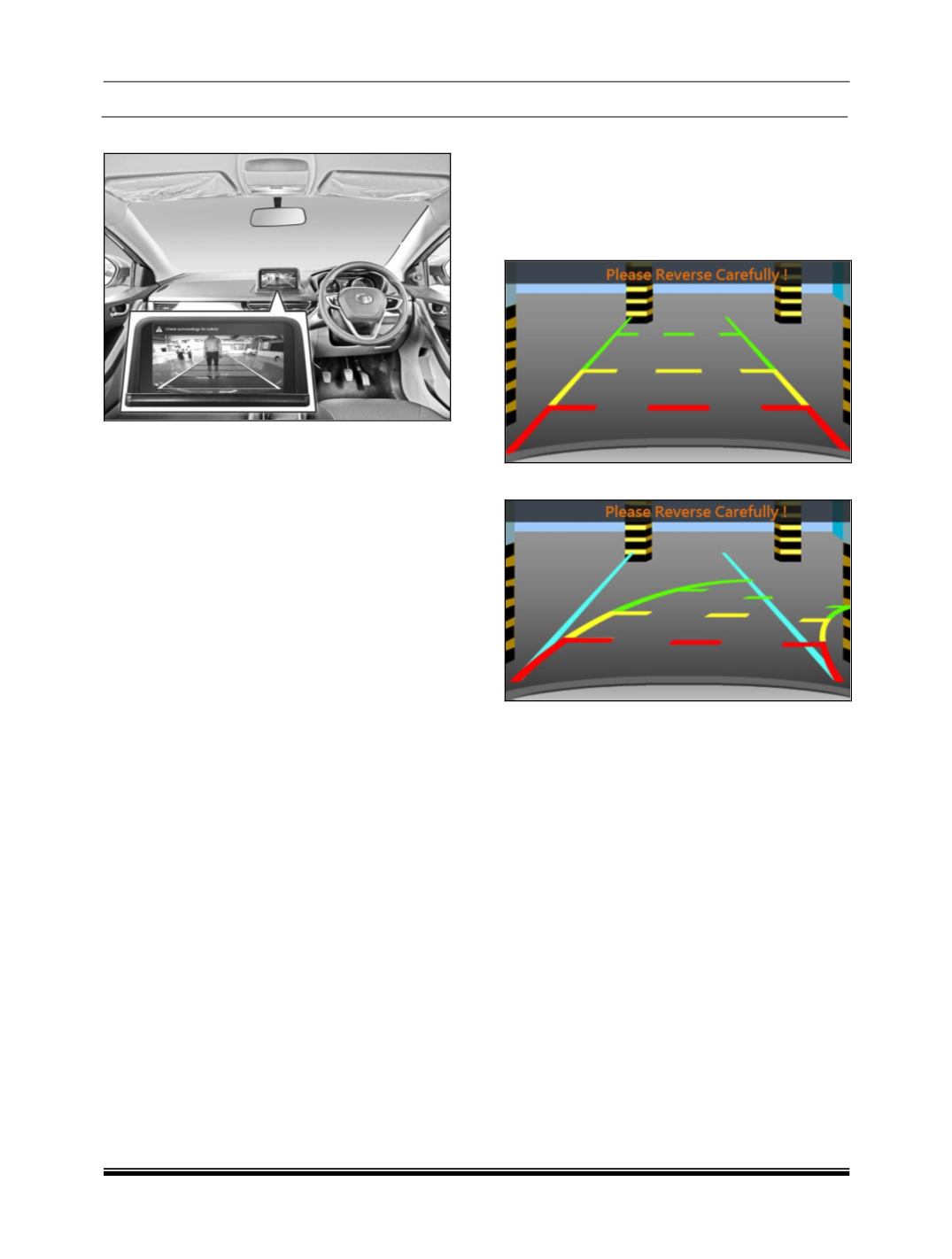
3-color moving gridlines guides the user to
understand the rear object distance exactly. The
grid line updated in the motion of the vehicle and
as well as with steering input.
Colour Guidelines
On the screen depending on the vehicle variant,
you can see different kinds of colour guidelines.
guidelines will help you to rightly find the sufficient
parking place, helps you to keep the vehicle
straight, rear object proximity indication etc.,
Guidelines lengths and widths are just greater
than the vehicle length and width respectively. So
with the guidelines, you can park the vehicle by
checking the sufficiency of the parking place.
Understanding Guidelines Indication
Once the rear view camera is activated, you can
see, colored guidelines on the screen as shown in
the images.
Cyan line
While reverse parking, Cyan line helps you to
identify the sufficient parking place and to align
the vehicle straight. Cyan line is a static line.
Green Line:
Indicates, If rear object are in this colored zone,
you have to be cautious. Still you can go
backward safely.
Yellow Line
Indicates, If rear objects are in this colored zone,
you have to take utmost care. However objects
falls in this zone, may not hit vehicle.
Red Line
Indicates, If rear objects are in this colored zone,
you have to stop the vehicle. And not allowed to
go backward. If you still go backward, your vehicle
will hit the object.
Static Guidelines
Dynamic Guidelines
NOTE
Availability of Dynamic Guidelines may vary
depends on the vehicle variant.
Incase of static guidelines, guidelines always stay
static.
In case of dynamic guidelines, guidelines will
move according to the steering wheel.