



 111 / 561

CONSOLE`
2
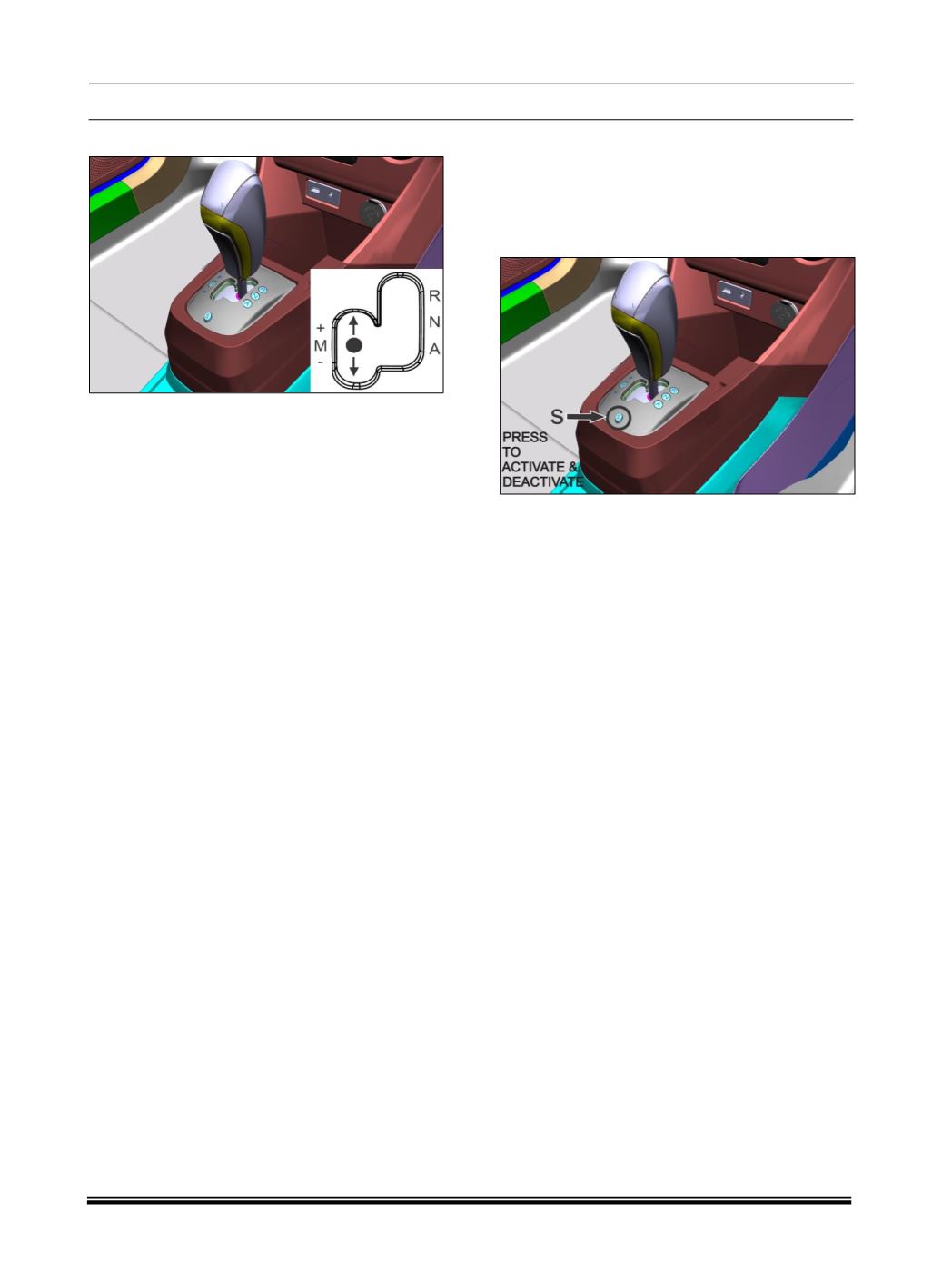
MANUAL MODE:
Driver should select the desired gear by shifting
lever to:
+ Upshift the gears.
– Downshift the gears.
Push the gearshift lever to the ‘+’ direction and
release it. Every time the lever is operated,
upshifting takes place 1 step in the order of
1st →2nd→3rd→4th→5th gear.
Pull the gearshift lever to the ‘–’ direction and
release it. Every time the lever is operated,
downshifting takes place in the order
5th→4 th →3rd→2nd→1st gear.
In manual mode, gears are not shifted
automatically unless the engine RPM threshold is
reached.
‘+’ and ‘–’ are not stable positions. Lever will come
back and stable position when lever is released.
However, gear change will take place as desired.
WARNING
Do not hold lever in ‘+’ or ‘–’ for more than 5
seconds else error related to ‘Gear Shift Lever
(GSL)’ will be registered.
DRIVE MODE:
Two drive modes ‘ECO’ and ‘SPORT’ are
provided. These modes can be used to adjust
vehicle performance in line with desired
requirement. To activate, Press ‘S’ button situated
on the gear lever grille.
‘SPORT’
mode activation will be displayed on
instrument cluster otherwise
‘ECO’
mode will be
displayed. It can be activated only in automatic
mode.
To deactivate press the ‘S’ button again.