




 1577 / 1906

ELECTRICAL
275
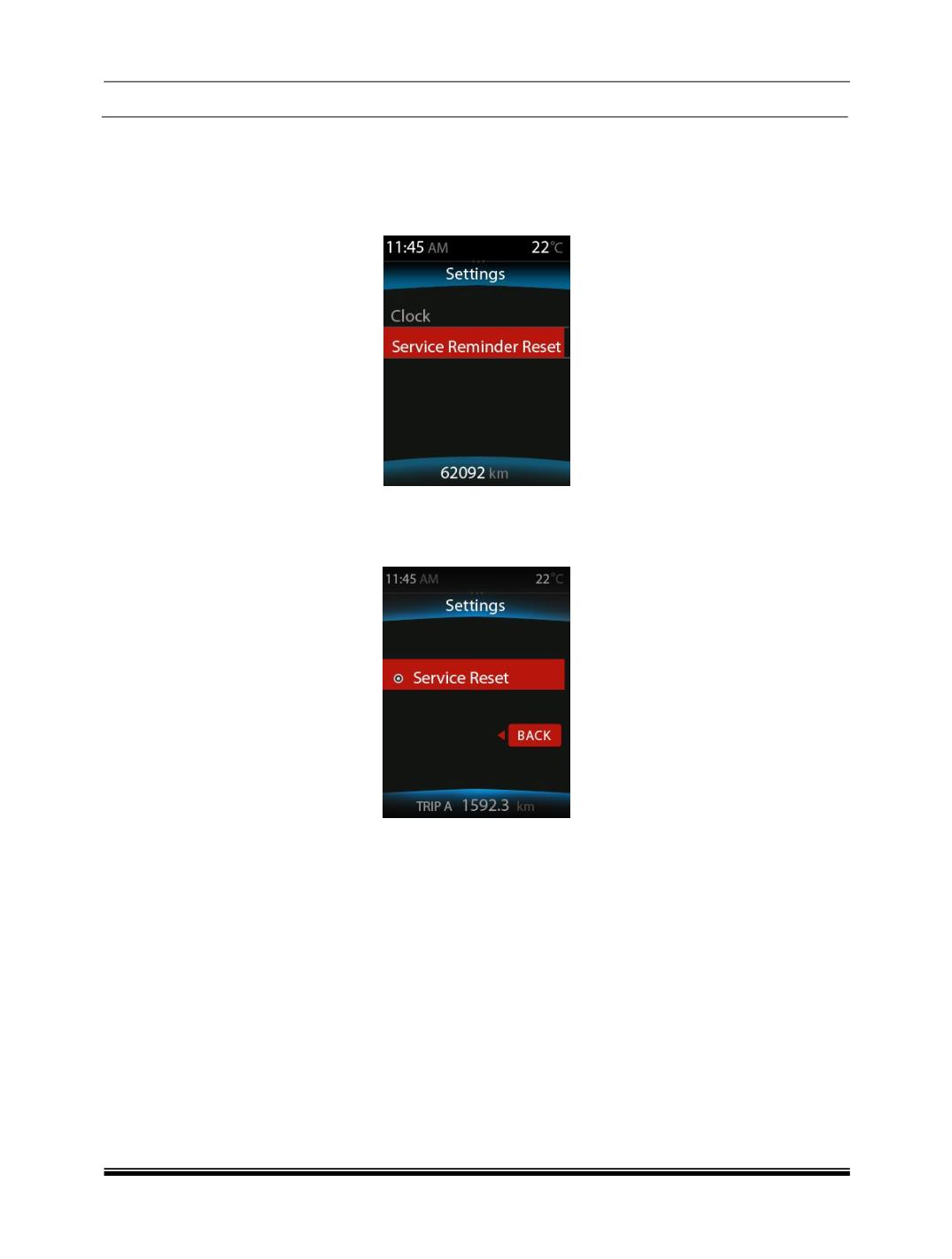
2.5.9.1. Service Reminder Resetting
User can reset service reminder by using the following steps:
Step 1:
By changing the DIC switch to select the SET screen
Step 2:
Short press the toggling switch to select the “Service Reminder Reset” and long press the
toggling switch for more than 3 secs then the service reminder shall be reset and it shall not be
displayed in the next Ignition cycle.
Step 3:
Select the back button by short pressing the toggling switch to go back to previous menu or
don’t change/move the DIC switch for 10 secs to go back to previous screen.
Note
Take it to the authorized TATA service station between the regular intervals of service reminder notification
Days/Km in the screen and do not reset the service reminder before the service, and it shall be reset by the
Authorized person during the service.