




 909 / 1232

BODY
7
Re-Fitment :
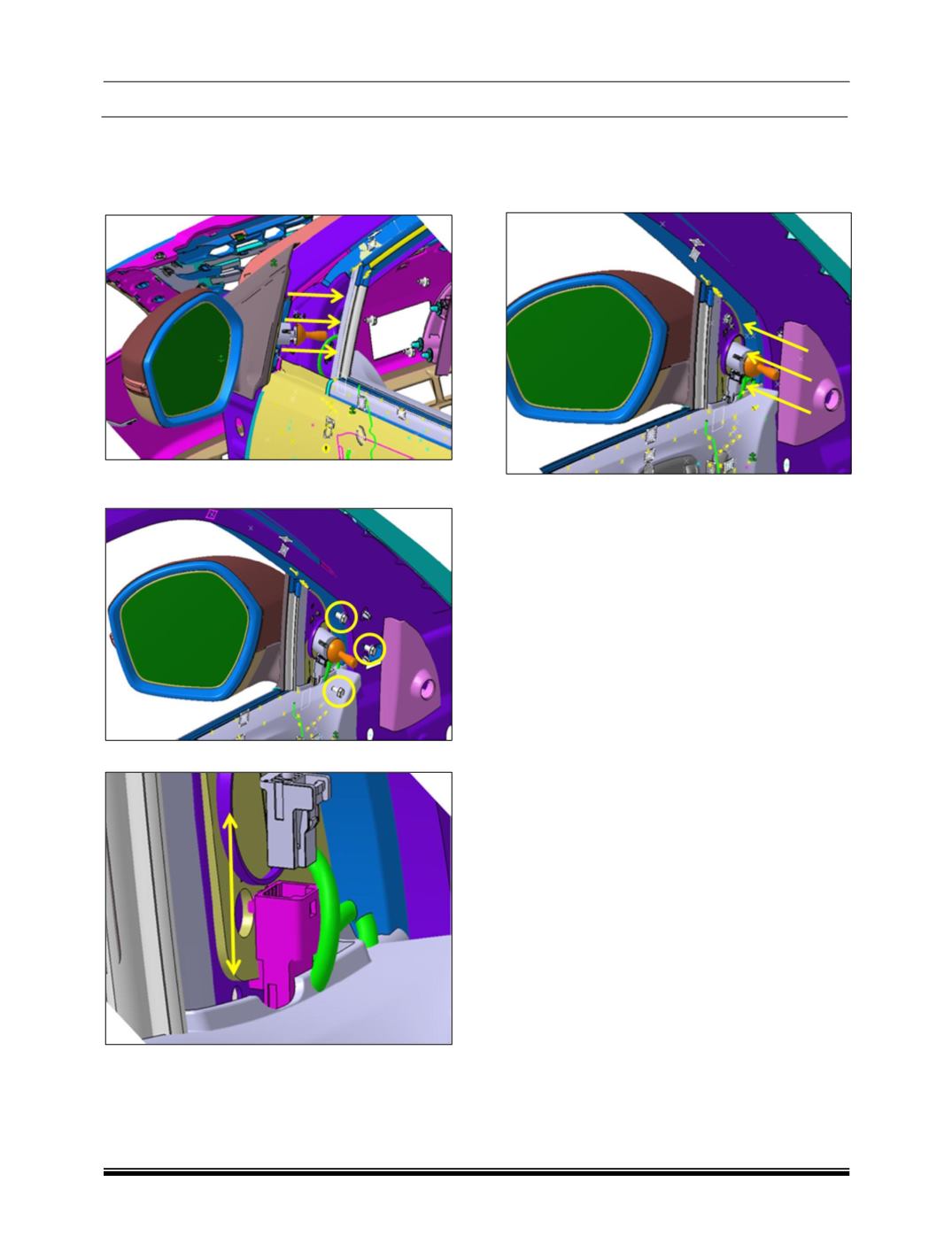
1. Hold the ORVM and locate the position inline
with cutouts provided in the door panel, and
insert the ORVM through the same on panel.
2. Insert and tighten all three fasteners properly
at their respective location into the panel.
3. Make connection between two connectors.
4. Now make the fitment of the inner cover assy
from inside the door by pushing in the
direction as shown in image.