



 978 / 1236

ELECTRICAL
200
8.14 15. SWITCH FUNCTIONS:
8.14 15.1 Switches location:
8.14 15.2
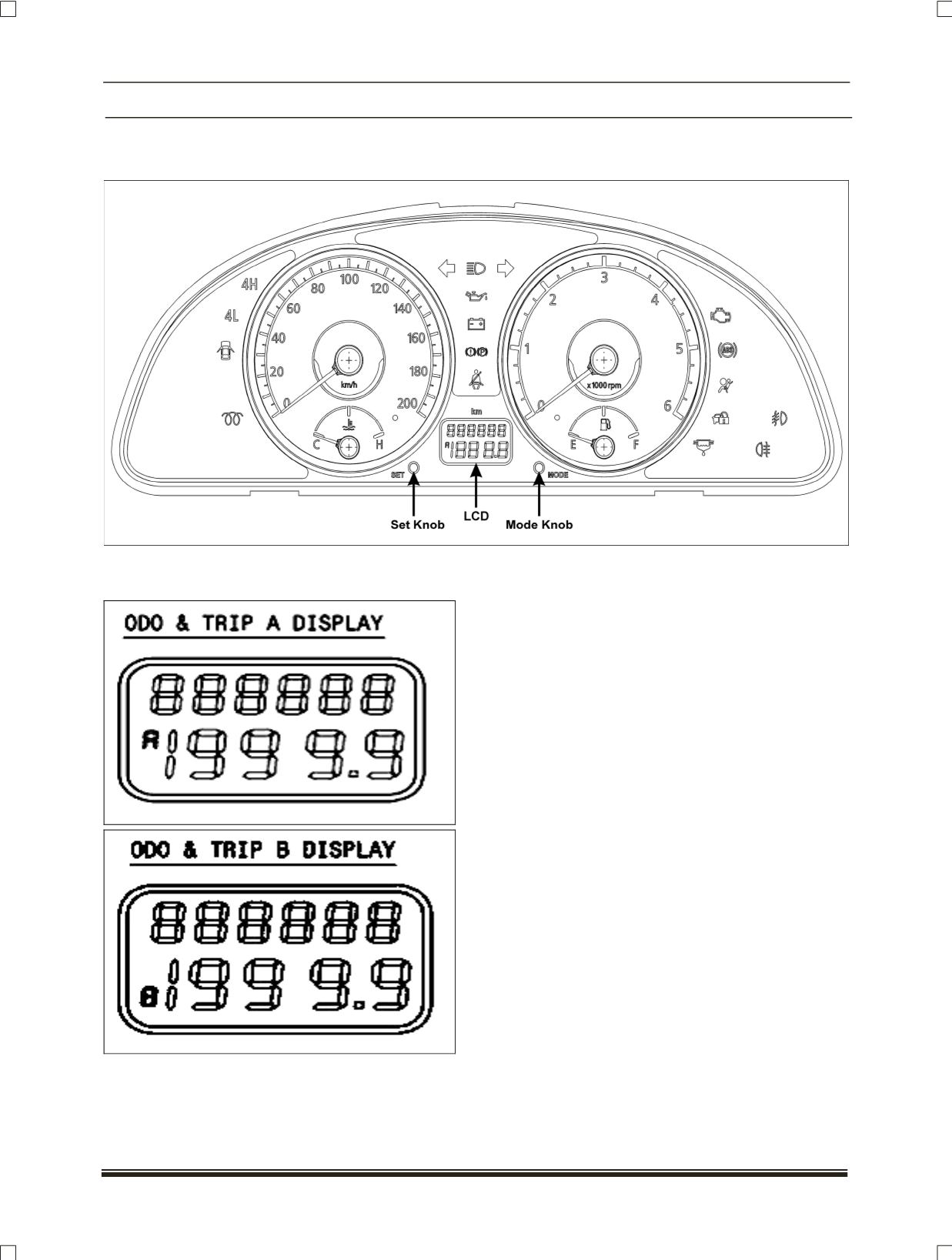
Multifunctional LCD, Odometer, Dimmer and Trip meter (A and B), Digital clock,
ambient temperature:
LCD has two line displays. The first line
displays the Odometer count. The second line
displays either of Trip meter A, Trip meter B, Dimmer
and Intensity level of panel illumination, Ambient
temperature and Digital clock display.
The selection and control of functions are
done through 'MODE' and 'SET' push buttons
(knobs) provided on either side of the LCD.
The 'MODE' knob is used to select one of
Trip meter A, Trip meter B, Ambient temperature,
Digital clock display and Intensity level of panel
illumination.
Odometer and Trip meter (on LCD):
The odometer record the total distance the
vehicle has been driven. The trip meter can be used
to measure the distance traveled on each trip or
between fuel fillings. Keep track of the odometer
reading and follow the maintenance schedule
regularly for meeting service requirements.
Ambient Temperature:
Ambient Temperature is measured and
displayed in the units °C or °F, which you can select
by pressing the mode and set switch.
You can select required function on LCD by
using MODE and SET knobs available on cluster, as
indicated in the table below.
NOTE:
Please note that each knob has to be
pressed and released to change the function.