



 776 / 1526

20
AIR BAGS
SRS
3 Specification
3.1 Laptop / PC Requirement
Operating system:- WIN 98/ WIN 2000 /WIN XP
or later version
CPU Speed :- 933 Mhz or greater
RAM
:- 128 MB
Video Display :- 800 x 600 resolution with
24 bit colour
RS232 port
:- Minimum 1No.
CD ROM Drive
Printer Port (optional)
The software works with the above features of a
Desktop/ Laptop.
Any other combination of speed and RAM less then
specified will slow down the response of the software.
3.2 Vehicle Interface Unit
Interface unit from M/s Silicon Engines , USA
OBD cable
RS232 cable
4 Installation and Operating Procedure
4.1 Installation of Software
The Installation CD of the software is supplied
with the kit.
Follow the following steps to install the software:
Installation Procedure:-
1) Insert the CD in the CD Rom.
2) Set-up will start running automatically.
3) After this the program will guide you for further
installation.
4) After successful installation , a short-cut to
program will appear on desk-top.
5) This program will be loaded in 'c:/program files/
TATA MOTORS
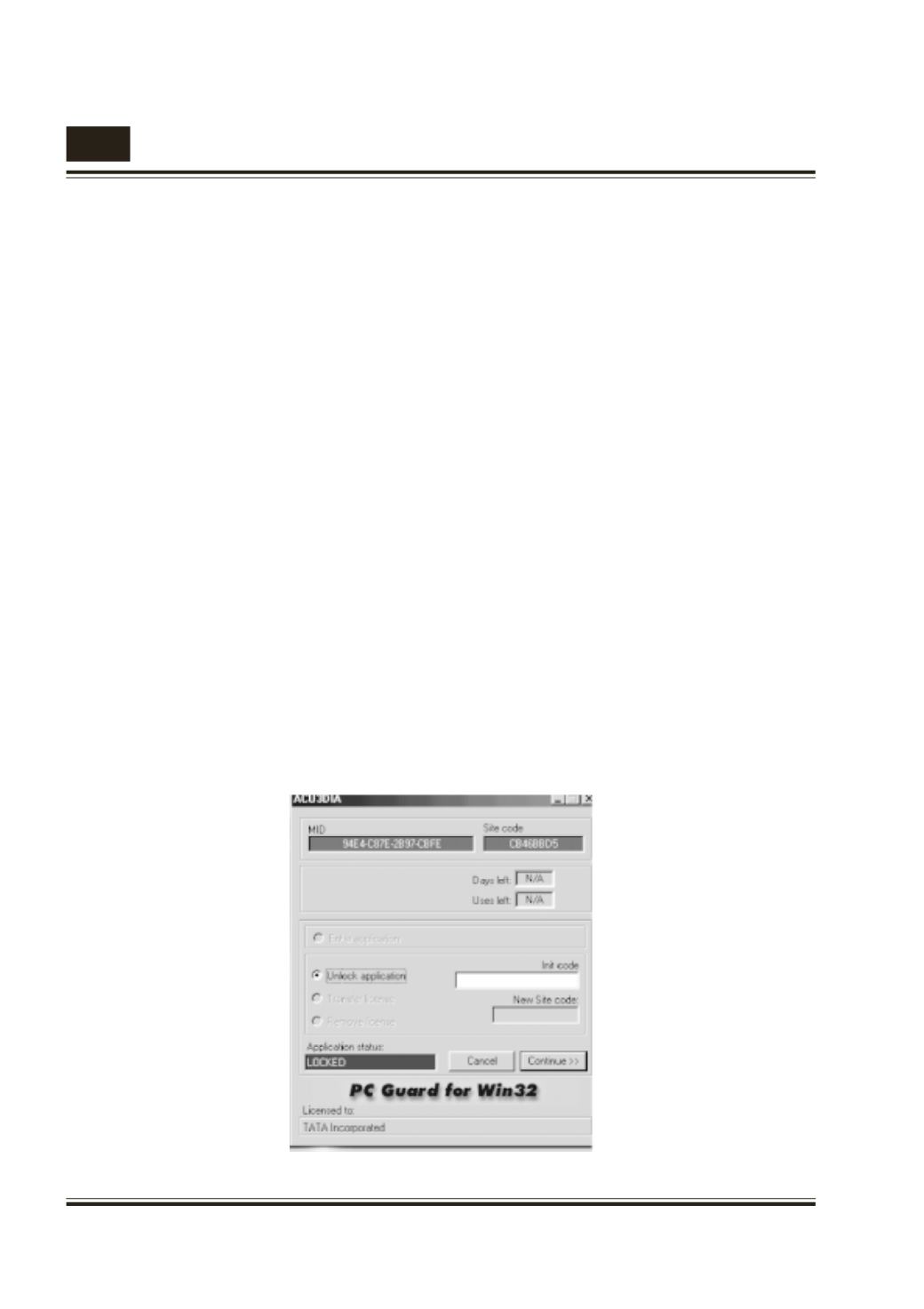
6) When user clicks the short-cut , following
screen will appear.
MID and Site code values in above fig. are for
example. These values are machine dependent .
These values will be different for your machine .
The Application status will be ‘LOCKED’ , for
unlocking the program user has to send MID and
Site code by E-mail on following E-mail ID -
support_ed@tatamotors.com7) After this we will send you Init code on mail .
Please enter that code in Init code box.
8) Then Application status will change to
‘LICENSED’ .Click continue to star t the
application.
9) Now your application is unlocked.