



 1378 / 1526

1
ABS - ECU DIAGNOSTIC
The system software is a user friendly. The user can
load it on laptop/Desktop.
The vehicle interface unit is light weight and compact
in size to facilitate easy portability. This works on ve-
hicle battery supply.
This tester will execute all the commands supported
by ECU , which help in diagnostic of the ABS system.
This diagnostic unit is capable of performing the
following functions :
1)
Read Complete ECU Status
l
No of DTC’s
l
Valve Relay
l
Wheel Speed
l
Motor Status
l
Valve Status
l
Brake Light Switch
l
Warning Lamp Status
l
Battery Voltage
2)
Read DTCs i.e. Read Diagnostic Failure Codes
3)
Clear DTCs
4)
Actuate Components Like (Motor , Inlet Valves front
& Rear ,Outlet Valves front & Rear)
5)
Warning Lamp Test
6)
Brake Bleeding
2. Detailed Description :
Required power supply :
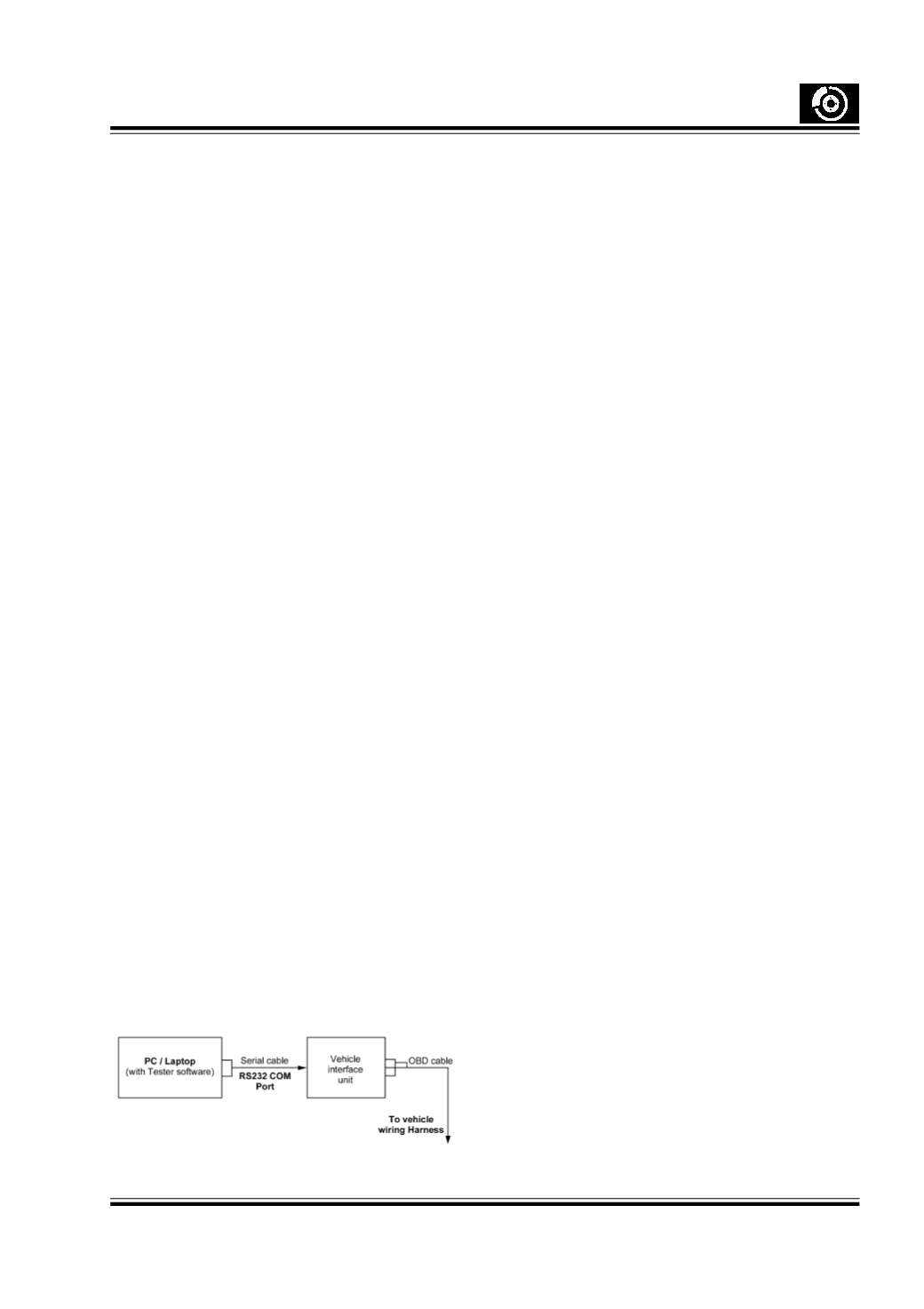
The Vehicle Interface Unit does not require any exter-
nal power supply . It works on vehicle battery , pro-
vided through the OBD cable .
Connect the RS232 cable to the Laptop/Desktop COM
port
The OBD cable is connected to the Diagnostic con-
nector of the wiring harness.
3. Specification
3.1. Laptop / PC
Operating system : WIN 98/ WIN 2000 /WIN XP or
later version
CPU Speed
: 933 Mhz or greater
RAM
: 128 MB
Video Display
: 800 x 600 resolution with
24 bit colour
RS232 port
: Minimum 1No.
CD ROM Drive
Printer Port (optional)
The software works with the above features of a Desk-
top/ Laptop .
Any other combination of speed and RAM less then
specified will slow down the response of the software.
3.2. Vehicle Interface Unit
Interface unit from M/s Silicon Engines , USA
OBD cable
RS232 cable