



 416 / 1235

TRANSFER CASE
28
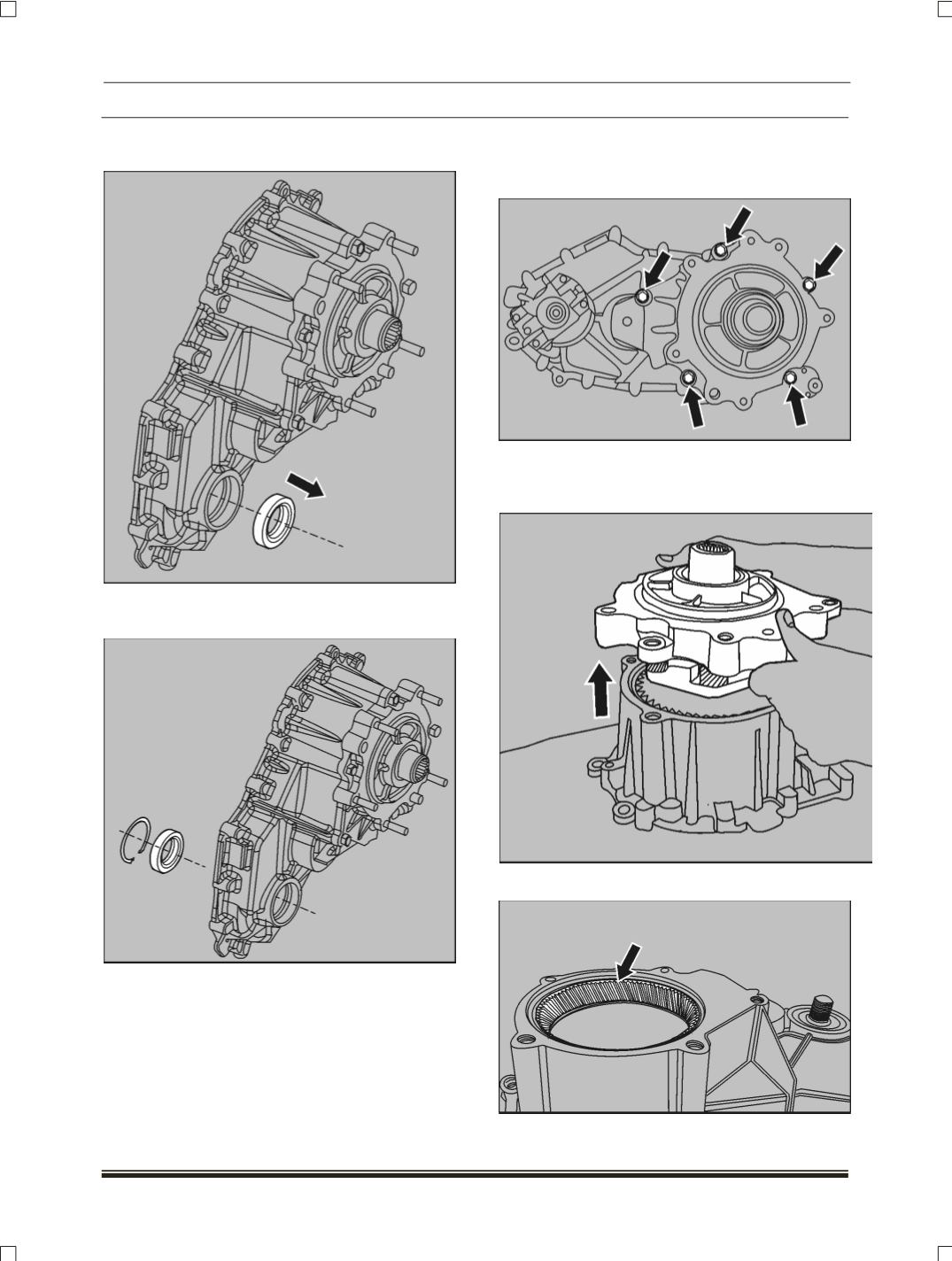
5. Remove oil seal from the case using seal
driver
6. Remove the retaining ring and then remove
the bearing, using suitable puller
7. Remove the dowel pins from transfer case, if
required.
H. ADAPTER, INPUT SHAFT & CARRIER
ASSEMBLY
1. Remove five bolts of adapter.
2. Remove the adapter by separating the adapter
sealer bond
(Pry front adapter, take care not to
damage the adapter or the case)
3.
Do not remove ring gear from case.