



 306 / 1428

300
ENGINE 273 MPFI
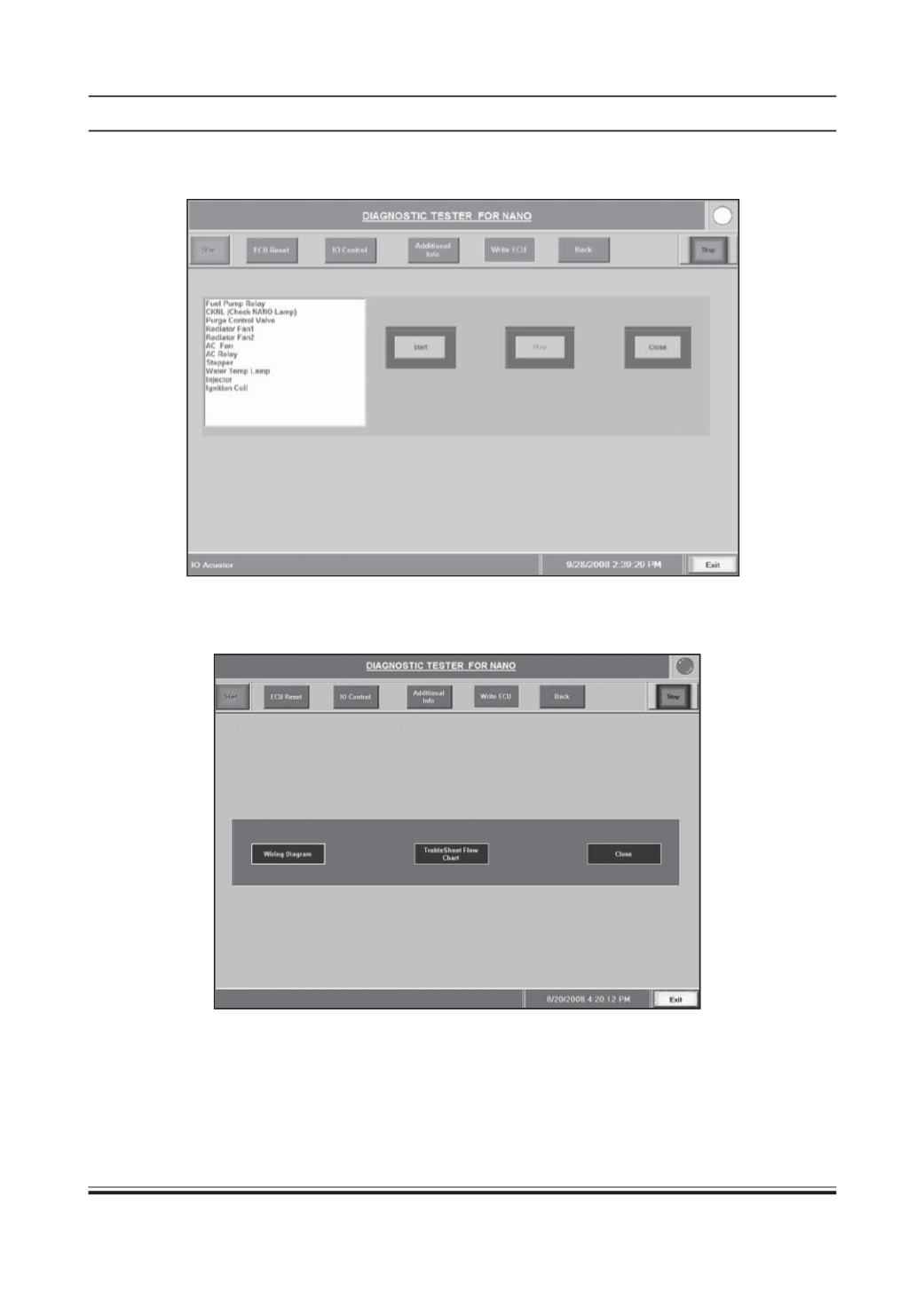
6.3) IO Control/Actuator Test:
Click to the IO Control and the actuator list will appear. Select the required
actuator and click ‘Start’ to start the test. For this test ensure only ignition ‘ON’ condition. (Engine Off) (F)
6.4) Additional Info:
This feature will give the additional information to the user like flow chart, wiring diagram,
trouble shoot flow chart for step by step diagnosis by clicking on respective button. (F)