




 301 / 1006

ENGINE 273 MPFI
295
ENGINE
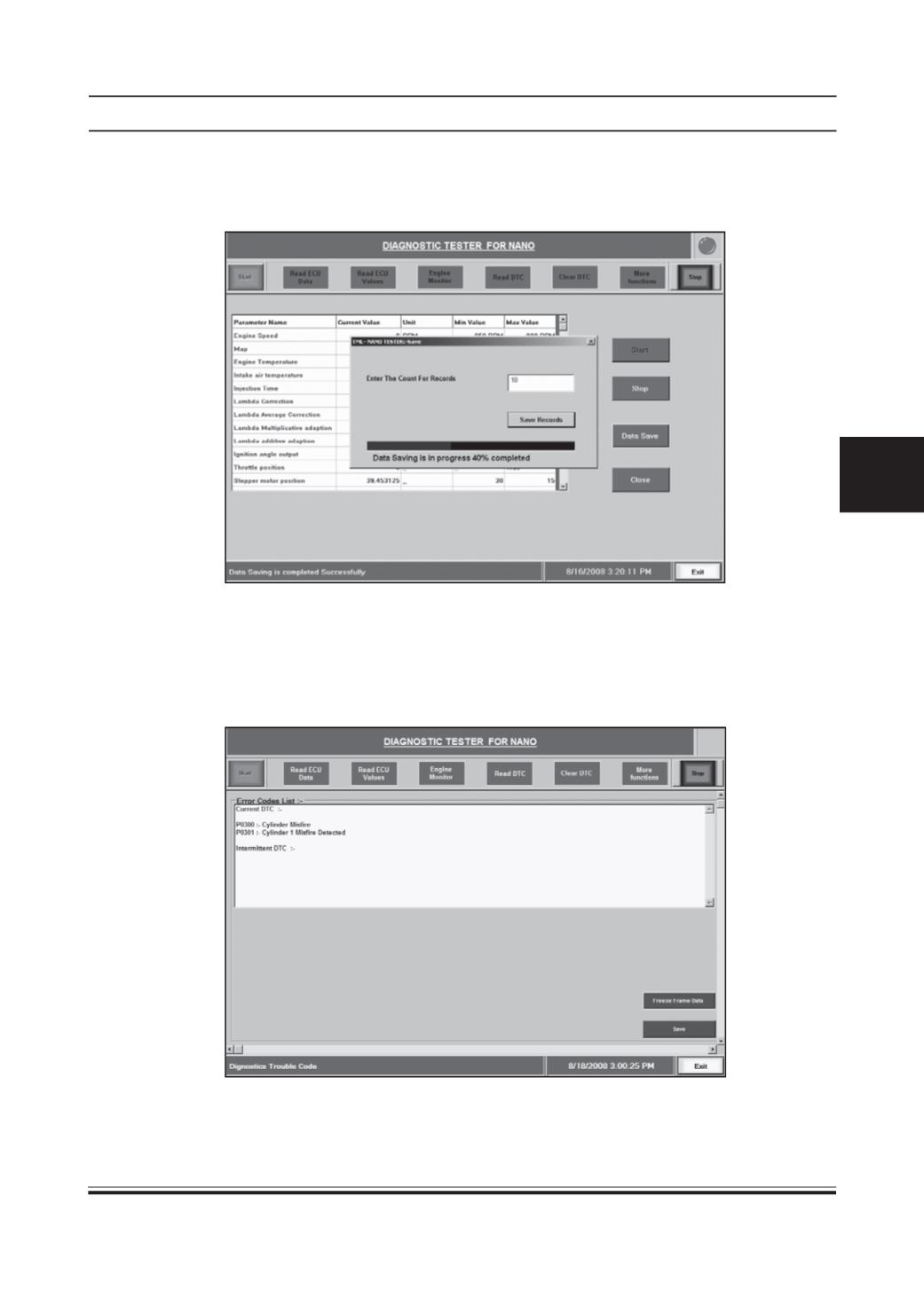
If you want to save the Engine Monitor data, just click on Save Data button and then it will ask Count for Records.
Type integer value say 10, then it will automatically save the data at the following location.
C:\Program Files\TML\NANO\SAVING\DATASAVING(F)
4) Read DTC:
Click on the button to read failure codes currently present in the ECU. The errors are displayed in
the error list. It will show DTC in two formats
(1) Current DTC
(2) Intermittent DTC
Current DTC screen shot is shown below. (F)