




 300 / 1006

294
ENGINE 273 MPFI
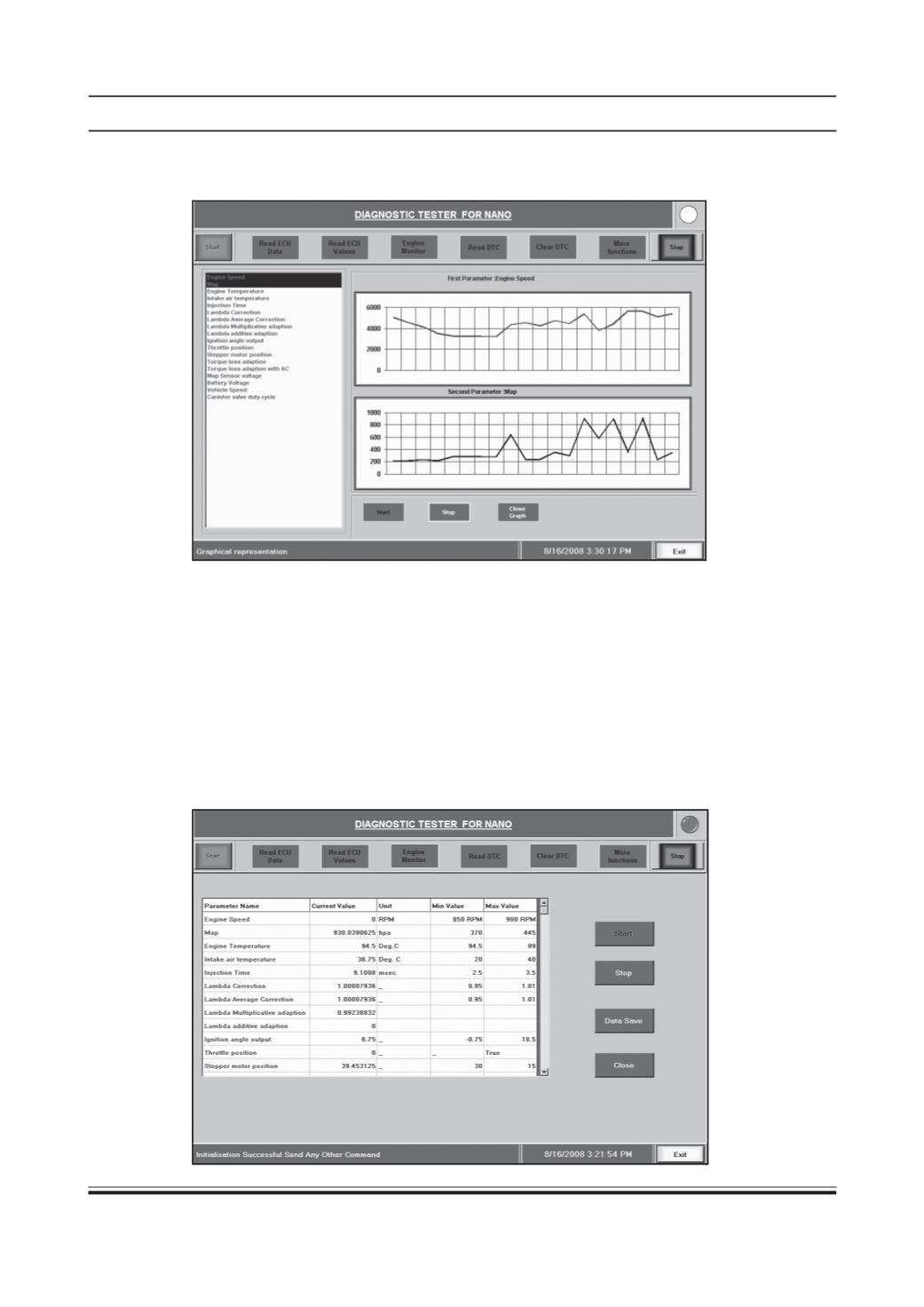
Graphical comparison of two parameters is available. In above screen select Show Graph button then select any
two engine parameters and click on Start. You can select one or two parameters at a time. (F)
In Read ECU Values function we can also check the following parameters which are newly added in the tool.
• Instantaneous fuel consumption
• Average fuel consumption in last 5 key On to key Off Cycles.
• Instantaneous vehicle speed.
• Average vehicle speed in last 5 key On to key Off Cycles.
3) Engine Monitor:
If you click on this button, all parameters relevant to proper functioning of the engine are
shown in a single window.
Note: The values hold only for fully warmed up engine with water temperature between 94-99 deg. cen. and
radiator fan “OFF” in idle (after 45-60 seconds of engine running).
The current value, units, Min-Max values are displayed as shown below. (F)