




 1052 / 1575

ELECTRICAL
232
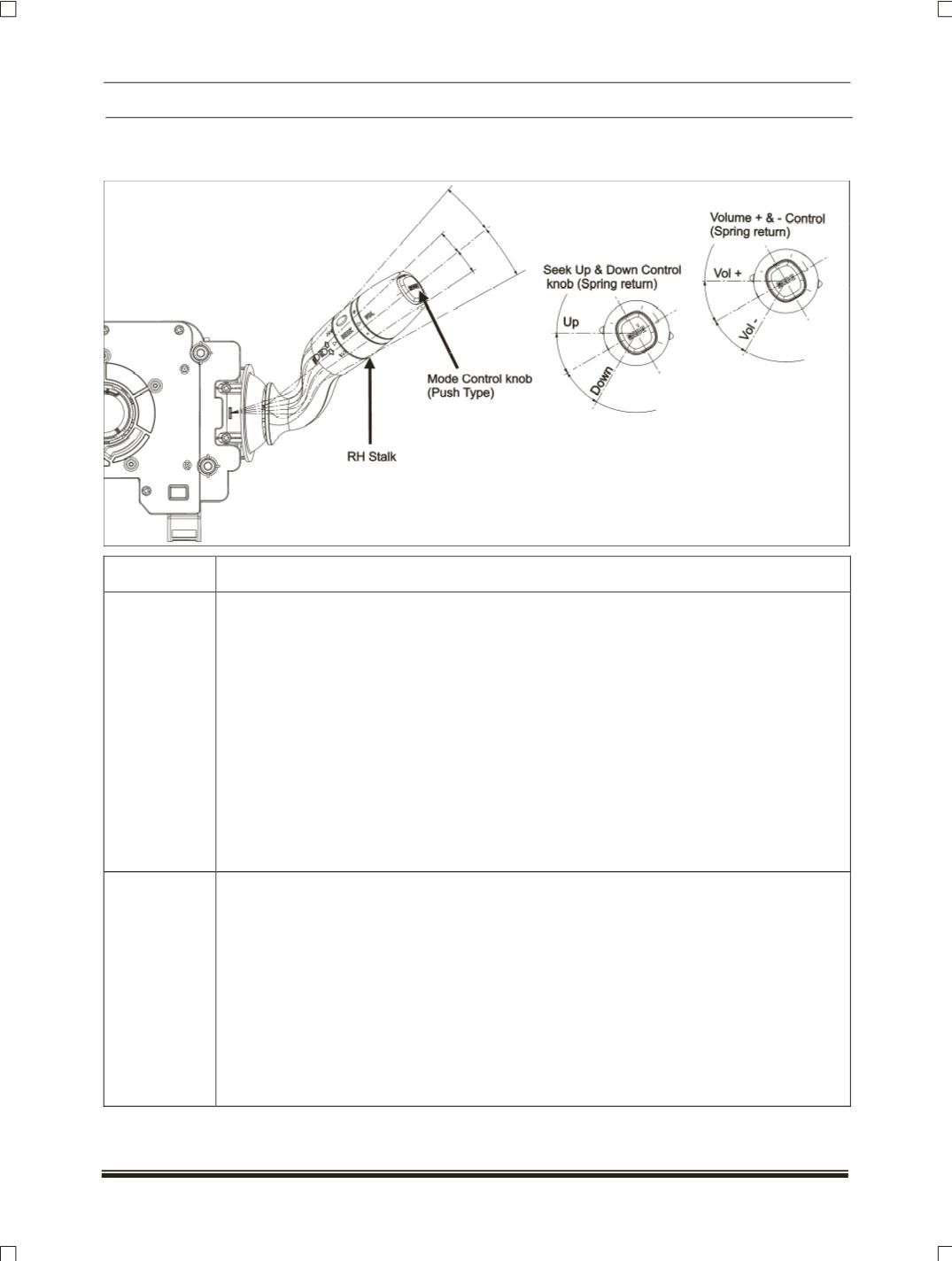
7. COMBI SWITCH CONTROL:
Combi switch RH stalk is used for controlling the infotainment functions.
BUTTON NO
FUNCTION
1
MODE:
a. Short press on this switch changes the audio source in the order AM->AM AS->FM1-
>FM2->FM AS->CD->USB->AUX, if the infotainment system is in audio play back
mode.
b. In phone menu, short press on this switch selects the options in Bluetooth phone menu
to pair user's mobile with Bluetooth to the infotainment system.
c. In phone menu, short press on this switch selects the options in user's mobile phone
menu if user's mobile is paired to the infotainment system.
d. During incoming call, short press on this switch accepts the incoming call.
e. Long press on this switch enters into voice dialing mode.
f. During active call, short press on this switch display phone operations like MIC off, Hang
up, DTMF etc
2
SEEK UP:
a. In AM/FM mode, changes to next preset.
b. Short press on this switch in CD/USB mode goes to next track.
c. Long press on this switch in CD/USB mode results fast forward operation on current
track.
d. Short press on this switch helps user to traverse up options present in Bluetooth phone
menu if user tries to pair mobile with Bluetooth.
e. Short press on this switch helps user to traverse up options present in User's mobile
phone menu if user mobile with Bluetooth is already paired with the infotainment
system.