




 1021 / 1575

ELECTRICAL
201
ELECTRICAL
SR.NO. DISPLAY
WITH MODE KNOB PRESSED
WITH MODE SET PRESSED
1
Trip A
To change the display to trip B
Knob to reset trip A
2
Trip B
To change the display to Dimmer
Knob to reset trip B
3
Dimmer
To change the display to Ambient
temperature
Adjust
illumination
brightness
25%,50%,75%,100%,75%,50%,25%
4
Ambient temperature
To change the display to clock
Toggle between ºC to ºF conversion
5
Clock
To change the display to trip A
To set the clock (hrs. and sec.)
Trip odometer count can be reset by
pressing ‘SET’ knob for over 10 sec when display
indicates Trip ‘A’ or Trip ‘B’.
LCD FEATURES:
A. Multifunction LCD
Colour:
Black Text with tinted gray background
glowing.
B. Trip meter (A and B)
Type:
7 Segments, indication by 4 digits and 1
decimal
Range:
0.0 to 1999.9
Resolution:
0.1 km or miles
Trip meter reading shall over flow to “0.0”
after it crosses 1999.9 km.
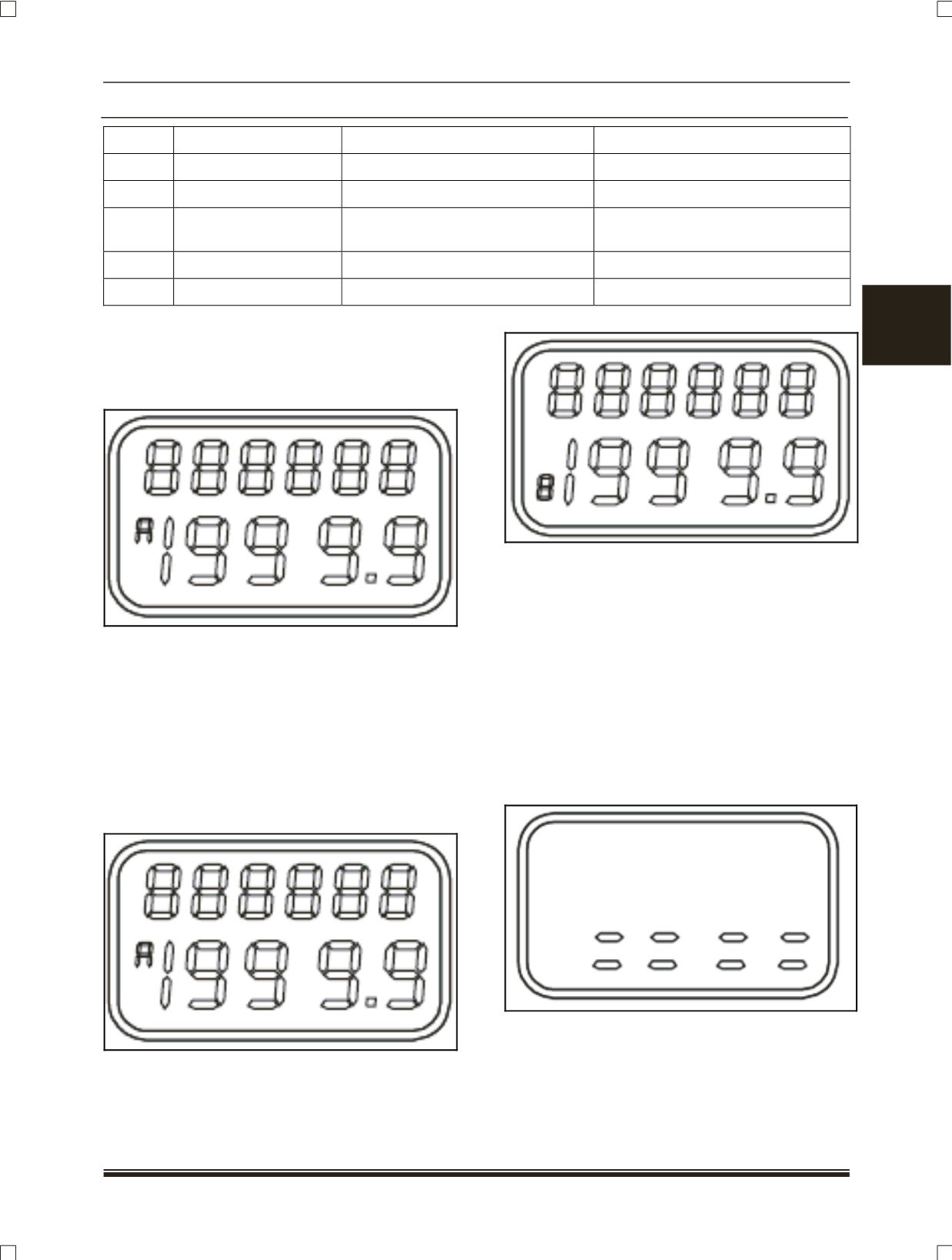
Trip- A (as applicable)
Trip- B (as applicable)
Trip meter reset
Trip meter (A and B) can be reset by
pressing the “SET” knob slightly longer when
particular Trip meter is selected.
C. Dimmer for Cluster, LCD and Instrument
panel illumination (as applicable)
You can adjust the LCD brightness that is
best suited to you and it is shown by the number of
Dashes on the display,
A. 2 Dashes => 25 %
B. 4 Dashes => 50 %
C. 6 Dashes => 75 %
D. 8 Dashes => 100 %
After selecting the dimming level, the
display will show the next information (e.g. Main
Odometer) after 20 secs. To see the next information
earlier press the ‘MODE knob.