



 690 / 801

NEXON EV
X114H
DTC Troubleshooting Data
Version: 3.0
Date: 27-May-2020
`
17
Author: K Tejaswini Manasa/ Navya Krishnan/Gaurav Jha
Copyright © TATA MOTORS Ltd.
This document must not be used in anyway, such as copying and redistributing to third parties, without the consent of author.
TroubleShooting:-
Flow Diagram or table format for diagnosing the fault code
DTC
’
s
confirmation:-
After rectification, ensure the following points by referring DCDC parameters using TML diagnostic tool before handing over to
customer.
a) DCDC converter charging LV battery in the range of 8V to 16V
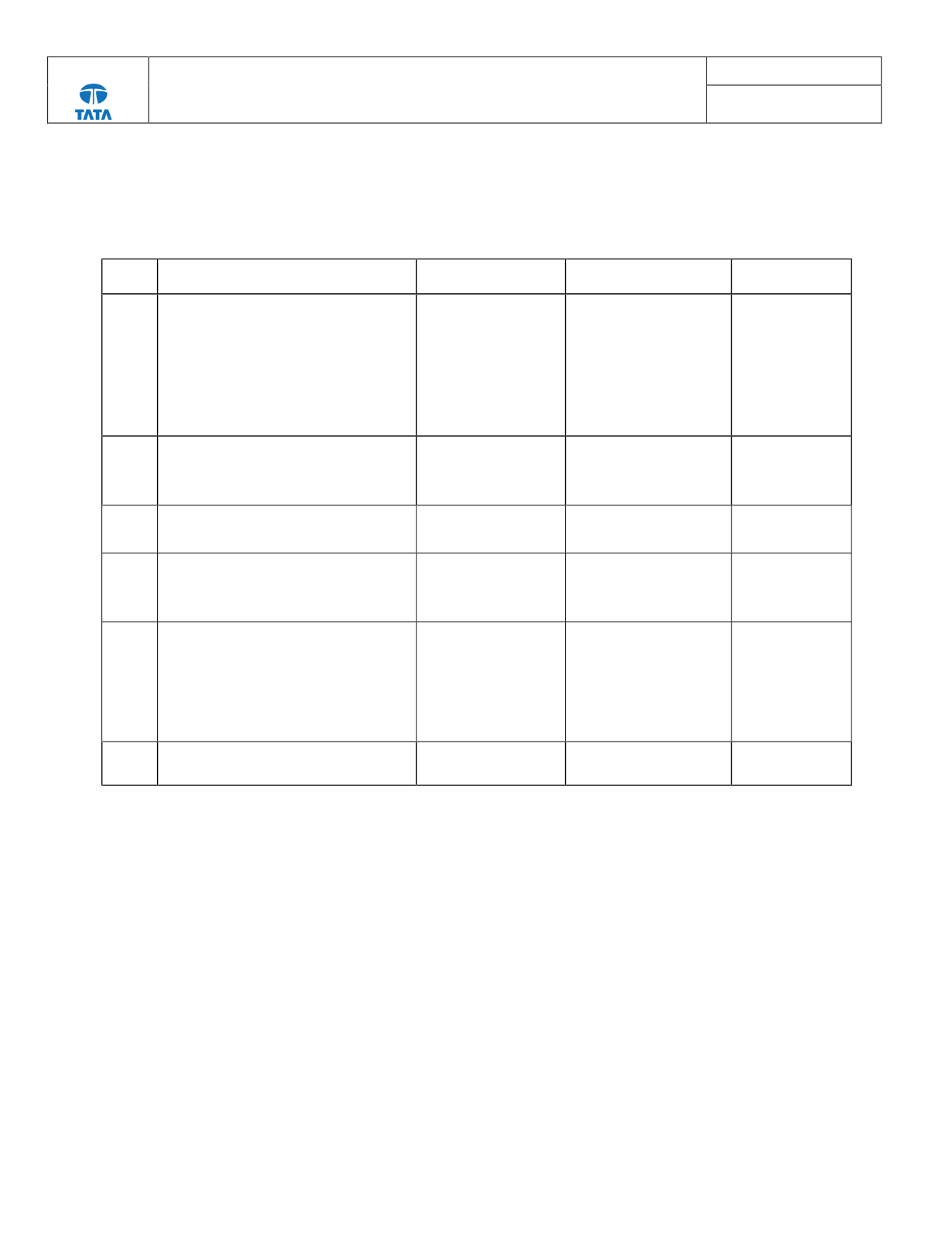
Step no
.
Description
Check Point
if YES
if NO
1
Remove the 12V LV battery negative
terminal.
After a minute connect the 12V LV battery
negative terminal & "Ignition Switch" to
ON position.
Crank and wait for 2 minutes.
Clear fault code and check again.
Fault code P130018 is
present?
Go to step 2
Repair complete.
2
Turn Ignition switch “OFF" and remove
the LV battery negative terminal. Check
the continuity between KL30 and DCDC
battery fuse.
Is there proper
continuity?
Go to step 3
Make the
connection proper
and check this
fault code again.
3
Check for the DCDC_BATT(5A) LV fuse Is DCDC_BATT (5A)
LV fuse blown?
Replace the fuse and go to
step 1
Go to step 4
4
Check for DCDC converter output under
voltage and KL30 severely under voltage
DTC
Check DCDC
Converter DTC
P130027 & P130019
Refer Trouble shooting
code P130027 &
P130019 and check fault
code P130018 again.
Go to step 5
5
Remove the LV connector of DCDC
Check if there is continuity between
DCDC signal connector pin 4 (KL30) and
LV battery positive as per below
schematic.
DCDC signal connector pin 8 (KL31) and
LV battery negative.
Is there any terminals
damage or LV harness
damage
Replace the pins/ terminals
or replace the LV harness
and go to step 1
Go to step 6
6
Check for fault code again.
Fault code P130018 is
present?
Replace DCDC Converter Repair completed