




 527 / 745

FATC
18
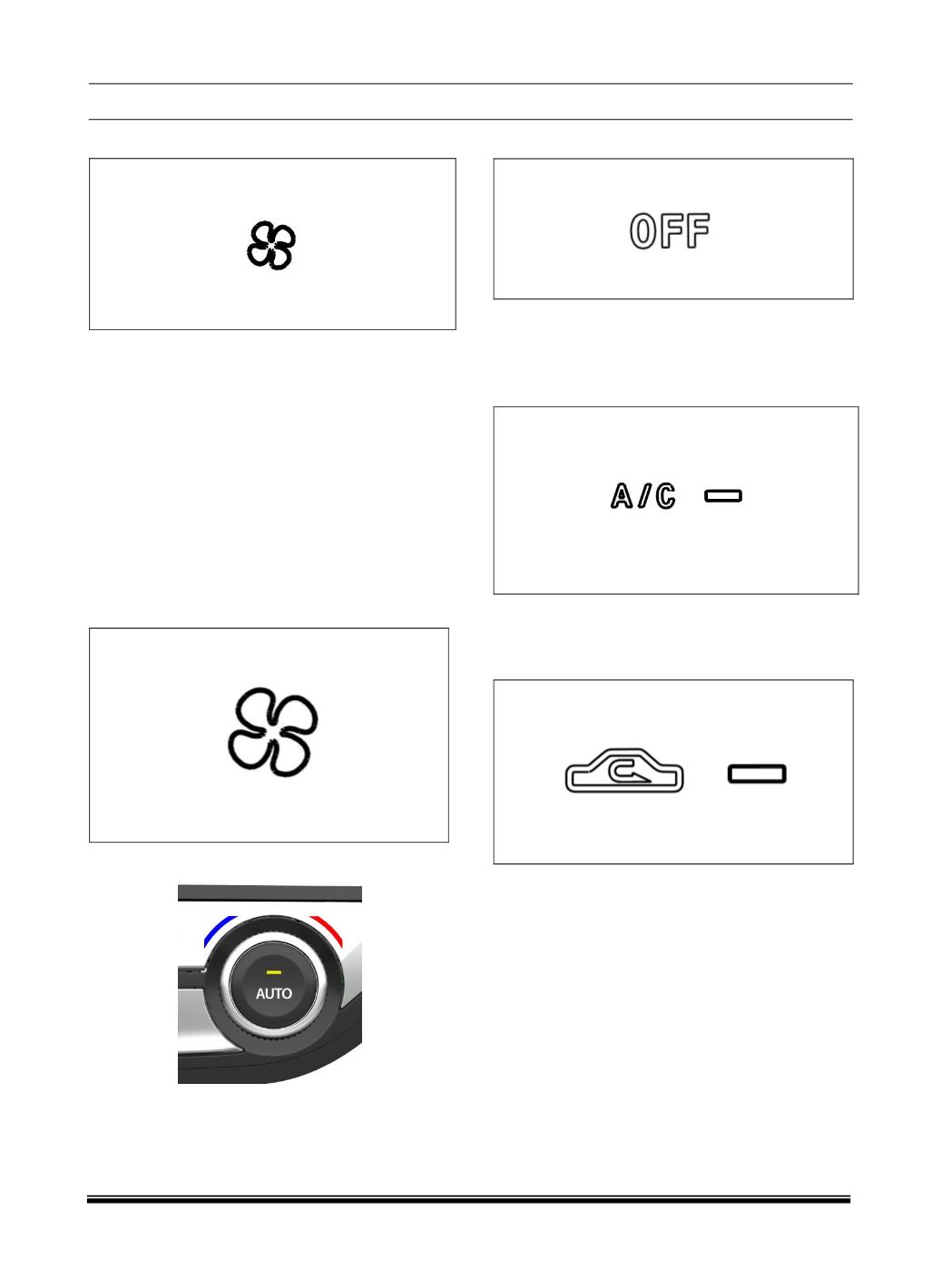
4. BLOWER SPEED CONTROL DOWN BUTTON
Press the knob to reduce the speed up to Min (Speed
1).
Blower control shall indicate the control of the quantity
of airflow, which is accomplished by controlling the
speed of the blower fan. The Blower control shall hap-
pen either manually or through an automatic climate
control algorithm
5. BLOWER SPEED CONTROL UP BUTTON
Press the knob to increase the speed up to Max.
Blower control shall indicate the control of the quantity
of airflow, which is accomplished by controlling the
speed of the blower fan. The Blower control shall
happen either manually or through an automatic
6. TEMPRETURE SELECTION
Rotate the Knob to clockwise & anticlockwise
direction to control the temperature.
7. “OFF” BUTTON”
Press the OFF button to switch OFF the system.
The display will no longer show the climate control
option when panel is OFF.
8. AC COMPRESSOR ON / OFF BUTTON
Press the AC compressor ON/OFF button to turn
the air conditioning ON or OFF.
9. FRESH AIR / RECIRCULATION BUTTON
a. When the user pushes the Fresh air \ Recirculation
button , the LED turns ON, the air inlet door flap
shall move to the RECIRCULATION position and
air from the vehicle’s interior is sent throughout the
system.
b. When the user pushes the Fresh \ Recirculation
button and the LED turns off, air is brought in from
outside of the vehicle (fresh mode). Whenever
discomfort is felt, switch to fresh air mode.
c. The Fresh \ Recirculation control shall switch to
Auto operation immediately after the user presses
the Auto button. The Climate control algorithm
shall calculate the status of the Fresh \
Recirculation door flap. The LED shall not indicate
the status of the door flap during Auto operation.