



 526 / 745

FATC
17
KNOBS DESCRIPTION:
A FATC control panel manages the climate control
system, it is the driver's interface to the system. The
FATC receives driver's input signal and various input
signals from sensors and controls the actuators to
maintain driver's desired settings.
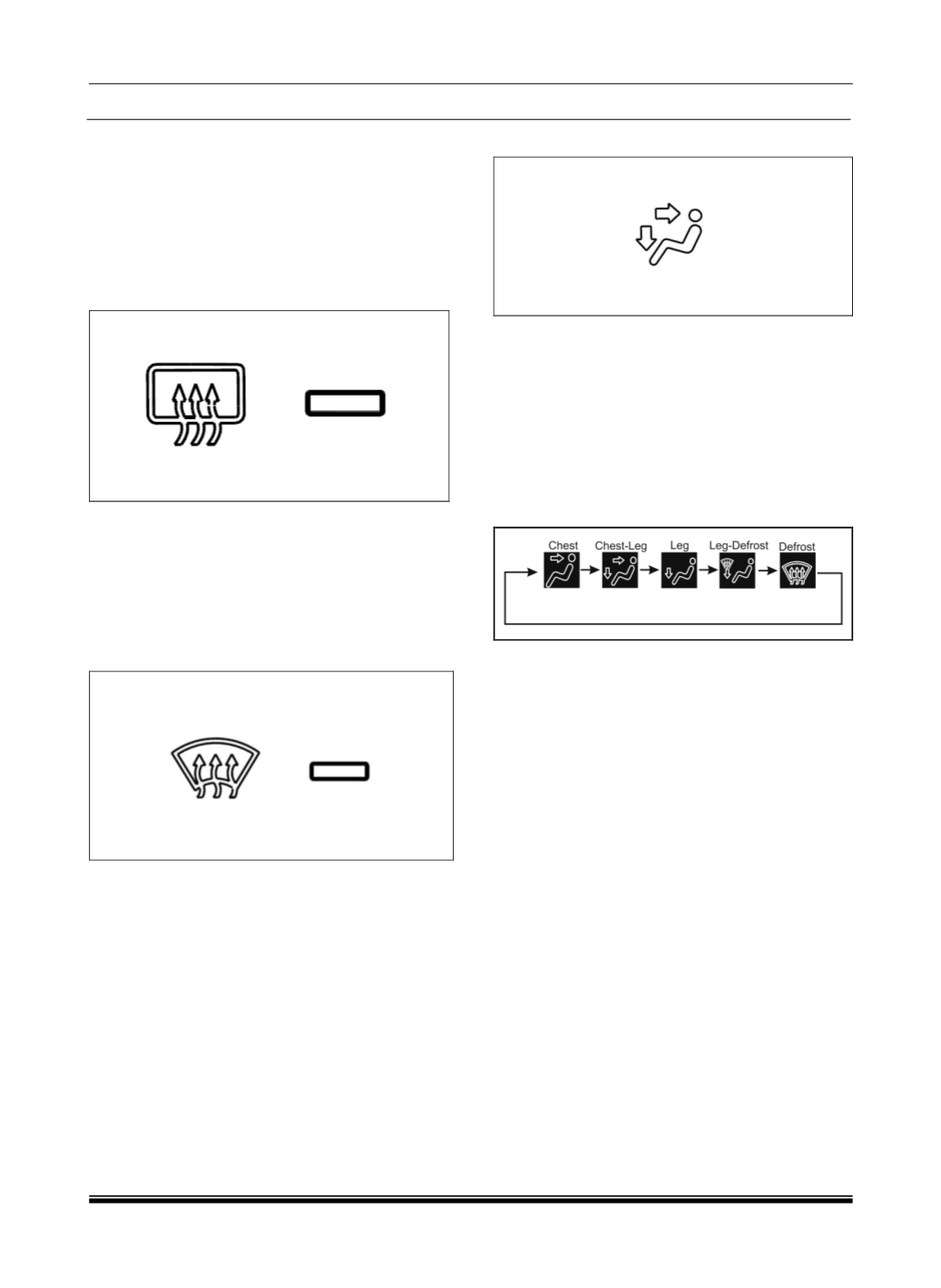
1. REAR WINDOW DEMISTER – HRW (IF
APPLICABLE)
This button turns the rear window demister ON or
OFF. The system automatically deactivates. On
pressing this button, the LED is illuminated indicating
defogging of the rear window.
Rear demister/defogger will work only when Engine is
ON.
2. MAX DEFROST BUTTON/FRONT DEFOGGER
a. This button directs the main airflow towards
windscreen for faster defrosting (It also overrides
any mode selection you may have made.)
b. When you turn off the button, the system returns
to its former settings.
On pressing this button the
LED is illuminated indicating air distribution to
max defrost mode is ON.
CAUTIONS
For your safety make sure you have a clear view
through all the windows before driving
.
3. AIR DISTRIBUTION (MODE) BUTTON
In AUTO mode, the FATC system will regulate the
mode automatically. However, user override is
possible with the use of MODE button to select the
desired airflow. Each time you press the MODE
button, the HMI display on the infotainment unit shows
the mode selected.
The Mode control shall happen either manually or
through an automatic climate control algorithm. The
simple flow diagram below shall describe the
determination of the desired mode position.
Mode control during Auto operation
The Mode control shall switch to Auto operation after
the user presses the Auto button. The climate control
algorithm shall determine the desired mode position
during Auto operation. The Auto operation shall
select among Chest, Chest-Leg and Leg positions
during the Auto operation. Since the system is not
equipped with sensors to determine the windshield
fogging criteria, the Defog and Defrost shall be
selectable manually by the user.
Mode control during Manual operation
The Mode control shall switch to the Manual mode
immediately after the user presses the mode button.
In the Manual mode, the driver shall select the mode
by pressing the mode pushbutton on the control
head. The mode shall switch in a cyclic sequence as
shown above for each press of the button. The
display shall be updated as shown above
corresponding to the current selected mode.