



 913 / 1003

ELECTRICAL
90
‘scanners’ and ‘grabbers’ which can record and
reproduce some types of remote codes.
Important
Don't operate Unlock button of remote while in the
vicinity of your vehicle, as it could lead to an
unintentional unlocking your vehicle.
For battery, replacement procedure refer
‘MAINTENANCE’ section.
Don't remove the battery connection of the vehicle
while the vehicle has been locked by remote.
Smart key Precautions
1. If smart key is close to radio transmitter such as
radio station or an airport which can interfere with
normal operation of the transmitter.
2. If smart key is near a mobile two way radio
system or a cellular phone, then it is not working
properly.
3. If another vehicle’s smart key is being operated
close to your vehicle, signal is fluctuated.
WARNING
Keep smart key away from electromagnetic
materials that blocks electromagnetic waves to
the key surface.
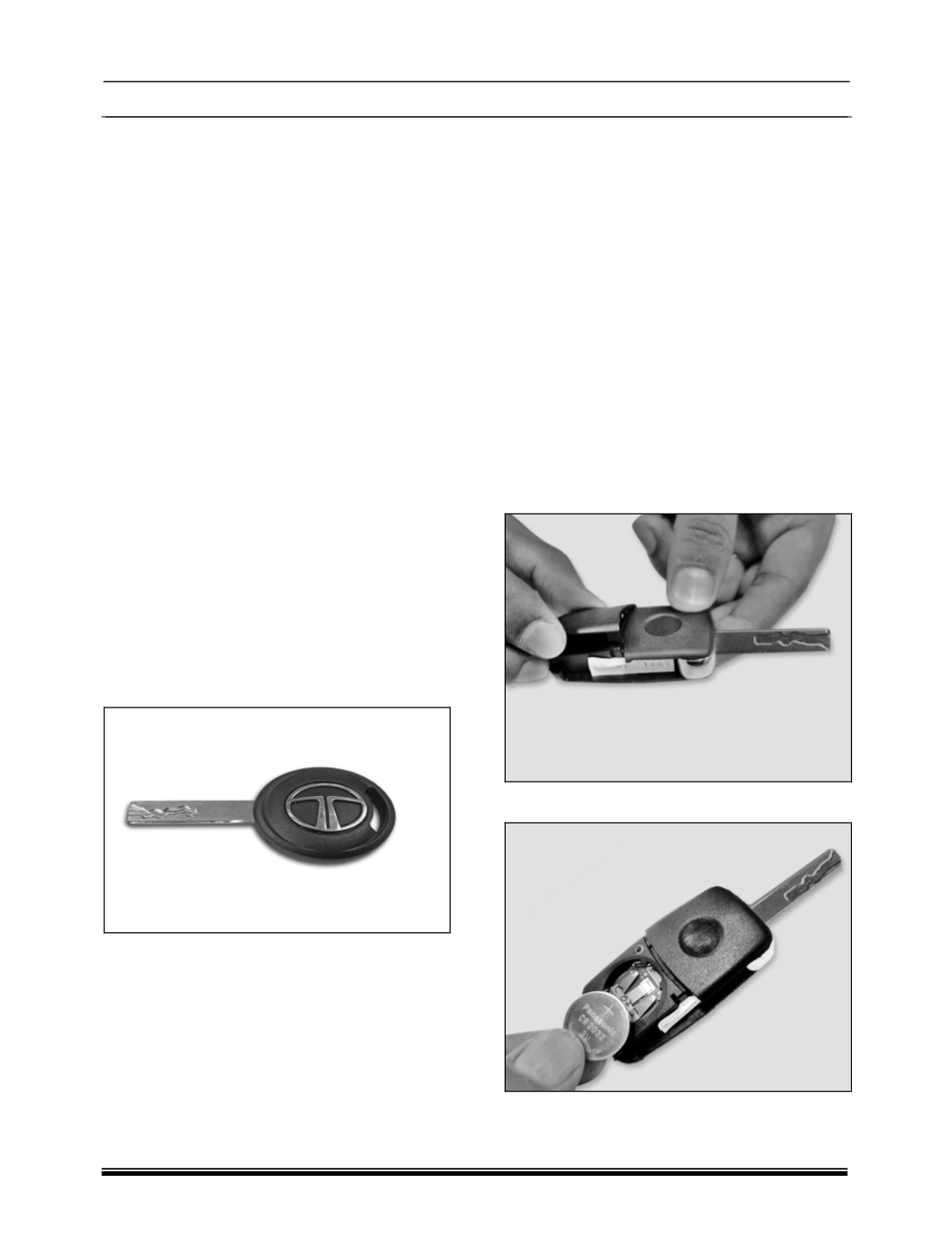
3. MECHANICAL KEY
Mechanical key used to lock and unlock doors
manually.
FUNCTIONAL DETAILS
1. Locking all doors
2. Unlocking all doors
KEY BATTERY REPLACEMENT
FOR FLIP KEY
Remote control key contains a battery, which is
housed under the cover.
If red LED on remote flashes for 5 times after
operating any button on remote. lt is
recommended to replace battery at a TATA
MOTORS Authorized Service Centre.
You should, however, proceed as follows if you
wish to replace the discharged battery yourself:
1. Open the key blade.
2. Press off the battery cover with your thumb or
using a flat screwdriver at the points of the arrows.
3. Remove the discharged battery from the key by
pressing the battery downwards at the point of the
arrow.
4. Insert the new battery.
5. Ensure that the “+" symbol on the battery is
facing upwards. The correct polarity is shown on
the battery cover.