



 884 / 1131

ELECTRICAL
114
If smart key battery is low/drained or vehicle
battery is low/drained, user can unlock and
enter into vehicle by using mechanical key
blade. Present inside the smart key. Refer
‘Starting and Driving’ section for more
information.
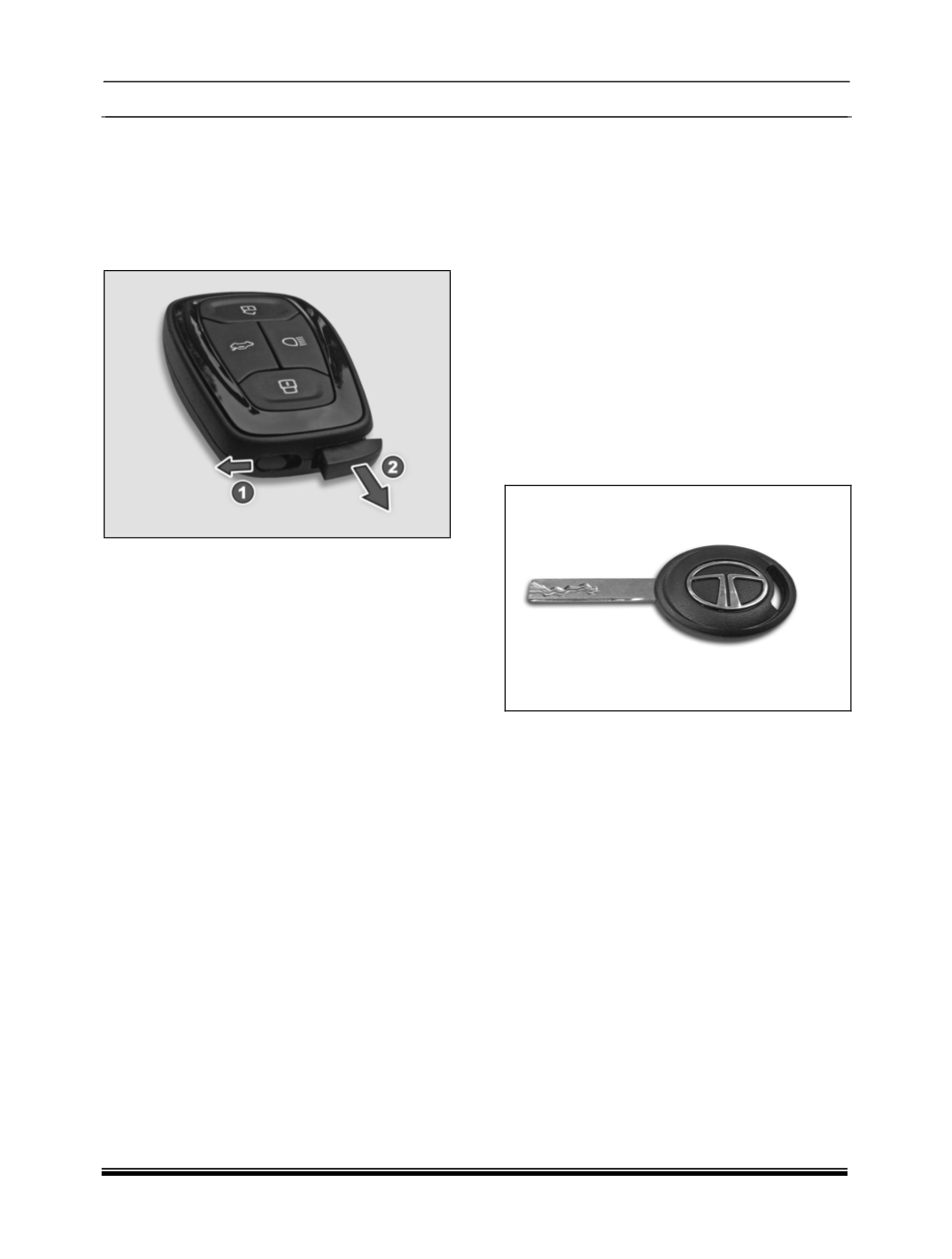
Key blade in / out
Slide the knob (1) to unlatch the key. Pull the key
blade (2) out.
Smart Key Features
Vehicle search
ln vehicle locked condition if lock button on remote
key is pressed the turn indicators of vehicle
flashes 4 times.
Automatic activation of immobilizer
If smart key will not found within the passenger
compartment, engine will be immobilized and
vehicle cannot be start.
Auto locking / unlocking of doors / auto relock
ln case of PEPS variants, door will get unlocked
when ignition is OFF by pressing Start Stop
switch.
Anti-grab / anti-scan coding
The remote control set of this security system is
protected against the use of devices called
‘scanners’ and ‘grabbers’ which can record and
reproduce some types of remote codes.
Important
Don't operate Unlock button of remote while in the
vicinity of your vehicle, as it could lead to an
unintentional unlocking your vehicle.
For battery, replacement procedure refer
‘MAINTENANCE’ section.
Don't remove the battery connection of the vehicle
while the vehicle has been locked by remote.
Smart key Precautions
1. If smart key is close to radio transmitter such as
radio station or an airport which can interfere with
normal operation of the transmitter.
2. If smart key is near a mobile two way radio
system or a cellular phone, then it is not working
properly.
3. If another vehicle’s smart key is being operated
close to your vehicle, signal is fluctuated.
WARNING
Keep smart key away from electromagnetic
materials that blocks electromagnetic waves to
the key surface.
3. MECHANICAL KEY
Mechanical key used to lock and unlock doors
manually.
FUNCTIONAL DETAILS
1. Locking all doors
2. Unlocking all doors