




 907 / 1034

BODY
63
9.2.43 FRONT FENDER
REMOVAL
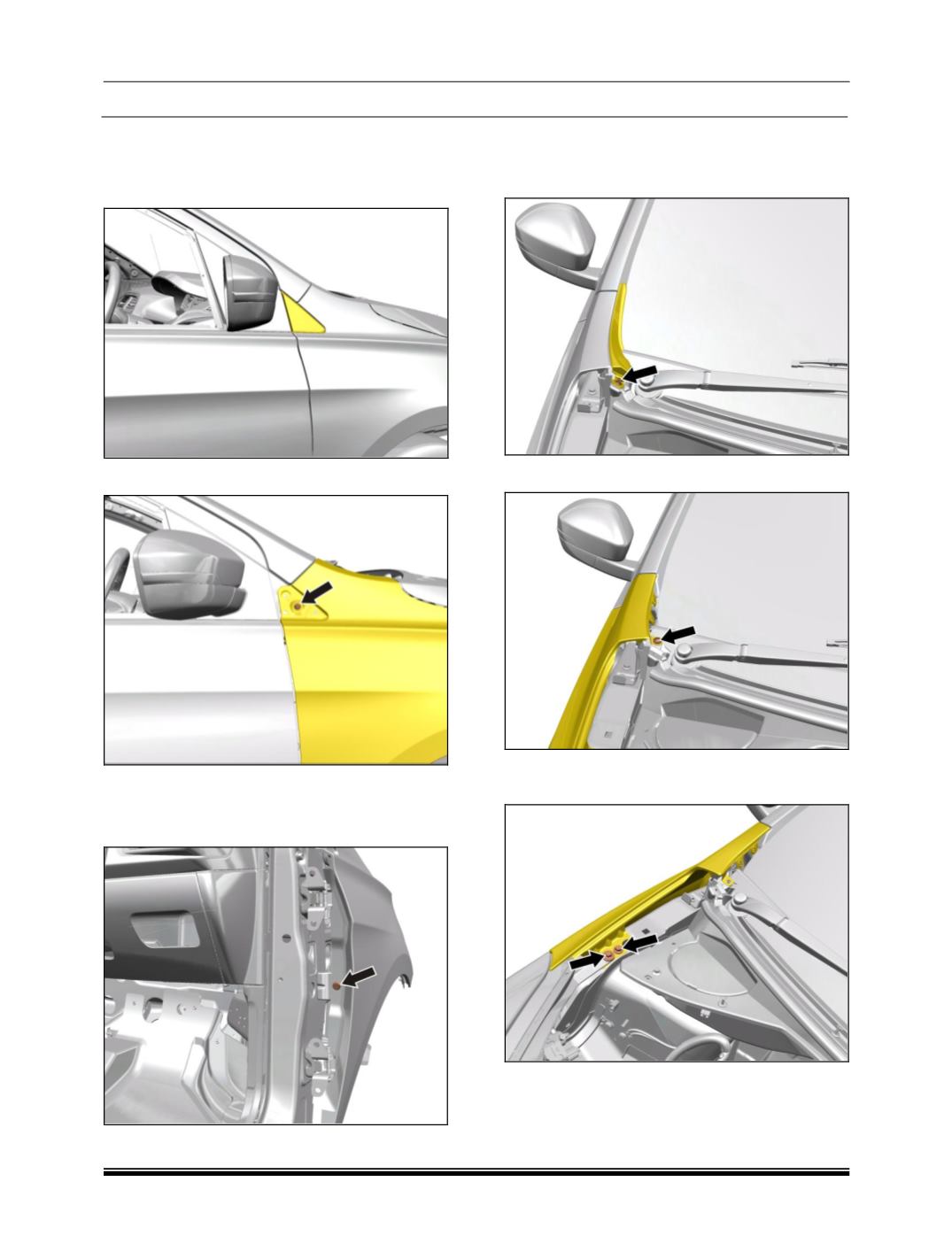
1. Pry out ORVM corner piece.
2. Remove mounting screw as shown in figure.
3. Remove front door.
(For procedure refer front
door removal).
4. Remove fender mounting bracket bolt.
5. Open the Bonnet.
6. Remove the screw rivet and pry out the side
Plenum Cover from Plenum Cover assembly.
7. Remove top mounting screw.
8. Remove the two top mounting bolt of the
fender.
9. Remove front wheel arch liner.
(For procedure
refer front wheel arch liner removal process).