



 568 / 1588

7
DIAGNOSTICS ABS
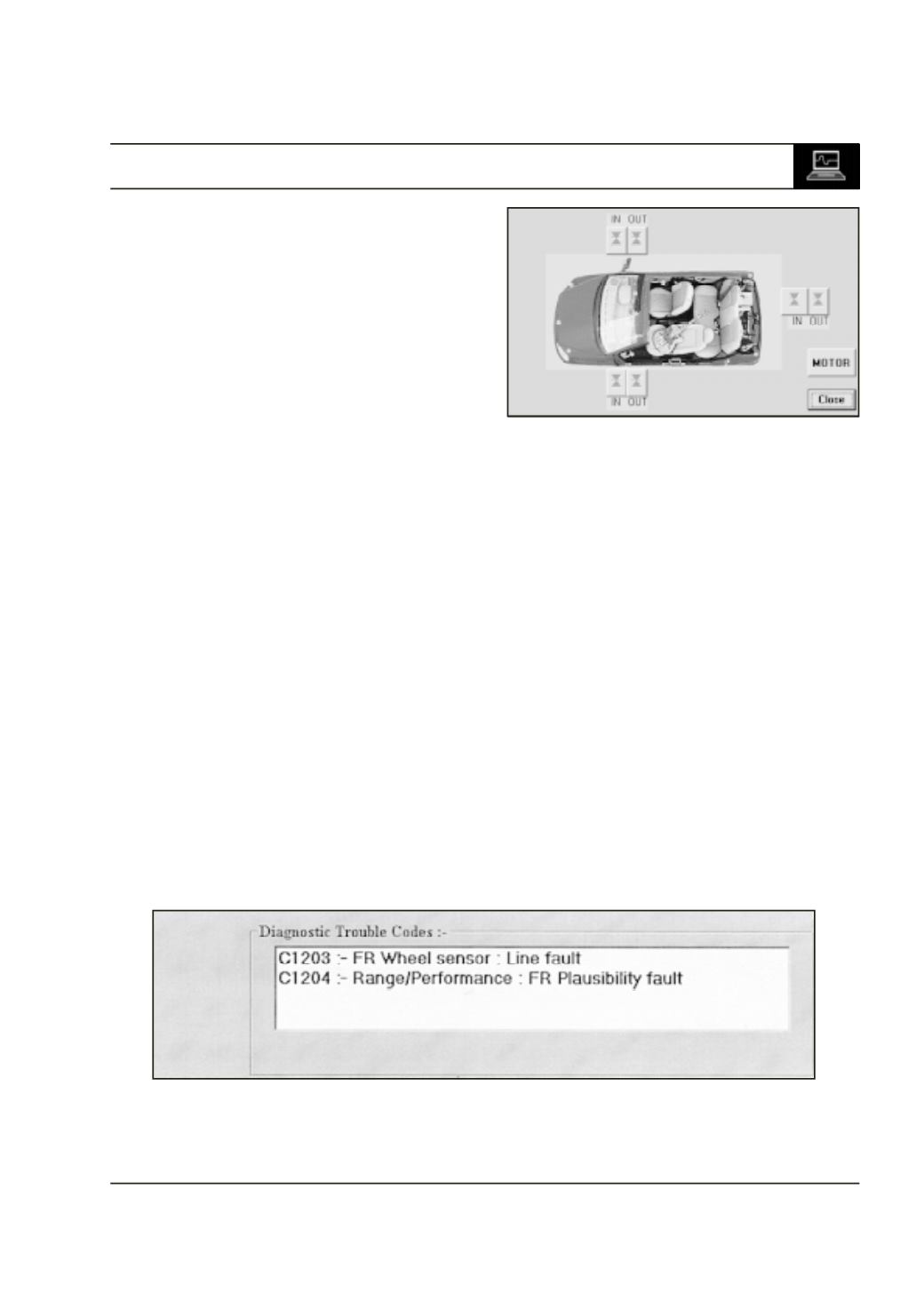
2. Actuate the components :
After clicking ‘ ACTUATE COMPONENTS’
following frame will appear .
User can actuate Pump Motor , All Inlet & Outlet
valves by using this .
e.g . Click on the ‘MOTOR’ to actuate the motor.
After clicking the status bar will display “
Actuation in process , please wait….. . ”
After actuation it displays the motor actuation
status. If it was actuated it gives ‘ MOTOR
ACTUATED ’
If the motor is not actuated it displays ‘MOTOR
NOT ACTUATED ’
3. Read DTCs :
Click this to read Errors in the ABS system. If
Errors are stored in the ECU memory they are
displayed in the frame shown in Fig.10 Status
bar displays
“ ERRORS ARE DISPLAYED IN THE LIST ”
4. Clear DTCs :
This function clears the errors from the ECU
memory . After clearing the errors tester reads
the errors again & then displays the error status.
If there are errors in the system then Status bar
displays
“ THERE ARE ERRORS IN THE SYSTEM
PLEASE CLEAR THEM PHYSICALLY “
If there are no errors in the system then Status
bar displays
“ THERE ARE NO FAULTS IN THE SYSTEM “
Fig. 9
Fig. 10