



 566 / 1588

5
DIAGNOSTICS ABS
4. Installation and Operating Procedure:
a. Installation of Software
The Installation CD of the software is supplied with
the kit .
Follow the following steps to install the software:
Installation Procedure:-
1) Insert the CD in the CD Rom .
2) Set-up will start running automatically .
3) After this the programwill guide you for further
installation.
4) After successful installation , a short-cut to
program will appear on desk-top.
5) This program will be loaded in following
directory
‘C:/Program files/TATA MOTORS’
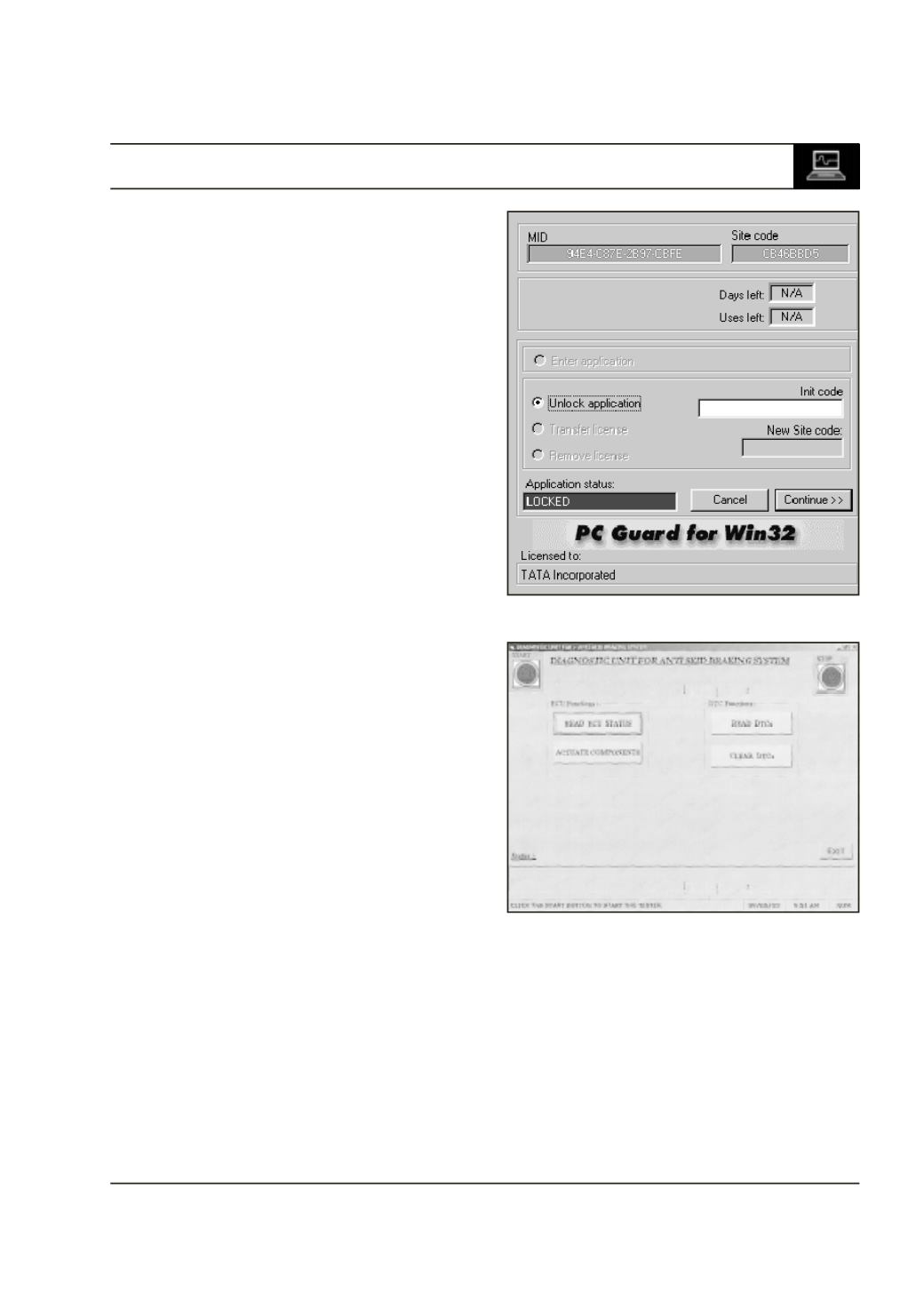
6) When user clicks the short-cut screen will
appear as shown in Fig.5
MID and Site code values in Fig.6 are for
example . These values are machine
dependent. These values will be different for your
machine.The Application status will be ‘LOCKED’,
for unlocking the program user has to send MID
and Site code by E-mail on following E-mail ID -
support_ed@tatamotors.com7) After this we will send you Init code on mail.
Please enter that code in Init code box.
8) Then Application status will change to
‘LICENSED’ .Click continue to start the
application.
9) Now your application is unlocked.
b. Operating Procedure
1. Main Menu :
This is the main form for the application All the
functions catering to the Diagnostic of the ECU
can be performed through the tester. To perform
any function press the respective button.This also
gives context sensitive help for the system. Just
Press ‘F1’ on any button, the help for the
particular button will be displayed.
To start the communication between the ECU
and the Tester press the “START” button. This
initialises the ECU communication and enables
the other commands.
Fig 5
Fig 6