



 869 / 1235

ELECTRICAL
91
ELECTRICAL
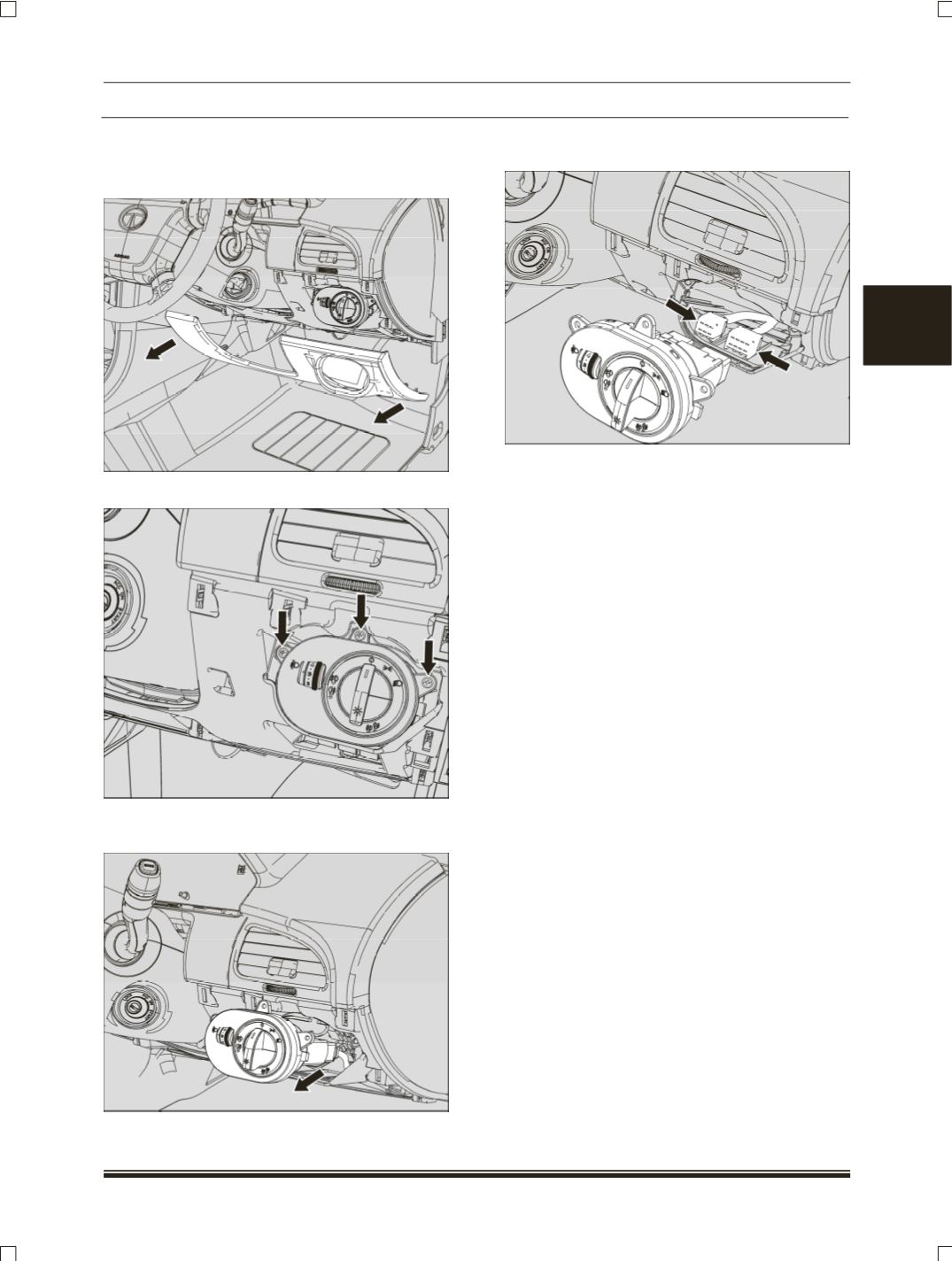
REMOVAL:
1.Carefully pry out the RH side steering column
cover.
2.Loosen & remove 3 flange screw of mounting.
3.Carefully pry out the master light switch with
connection.
4.Disconnect the electrical connection of master
light switch.
5.Take out the master light switch.
REFITMENT:
1.Connect the electrical connection of master light
switch.
2.Locate the master light switch into the cutout
provided on dashboard lower.
3.Fit the 3 mounting flange screw of mater light
switch
Tightening torque for bolt – 0.5 Kgm
4.Fit the master light switch into the cutout
provided on dashboard lower.
5.Fit the steering column RH side cover. (
Snap
fitted
).