




 730 / 745

ELECTRICAL
88
Step 4:
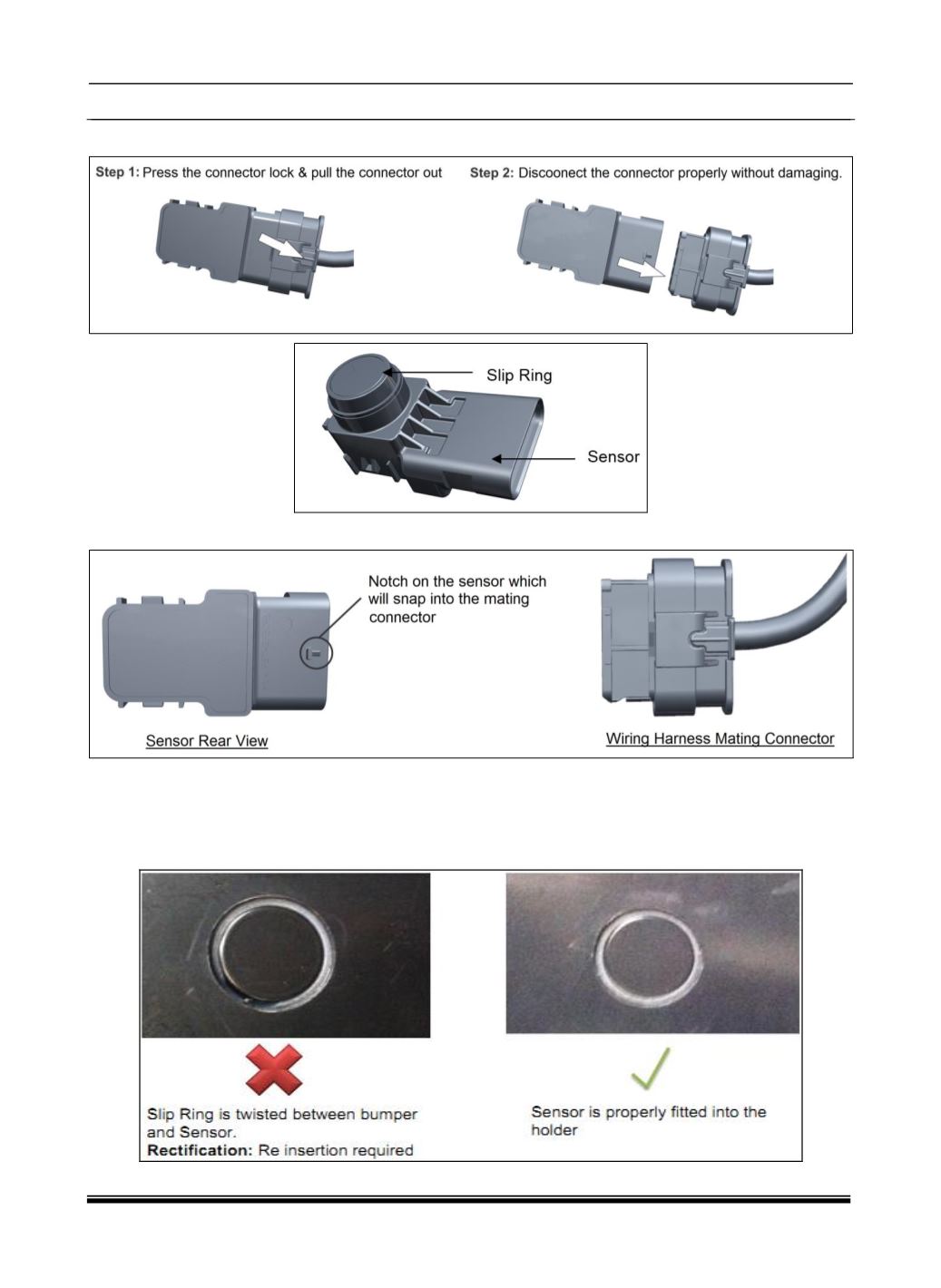
Disconnect the electrical connector from sensor as per below image.
Step 5:
Take new sensor and insert the wiring harness into the sensor properly.
Step 6:
Clean the inside holder area with a cloth to ensure no dust particle resides inside.
Step 7:
Push the sensor (From bumper B surface) into the holder and do the snap fit.
While pushing the sensor, see (from bumper A surface) slip ring flushness to be maintained with bumper
surface.