




 726 / 1119

BRAKES
29
12. BRAKE PEDAL ASSEMBLY
REMOVAL
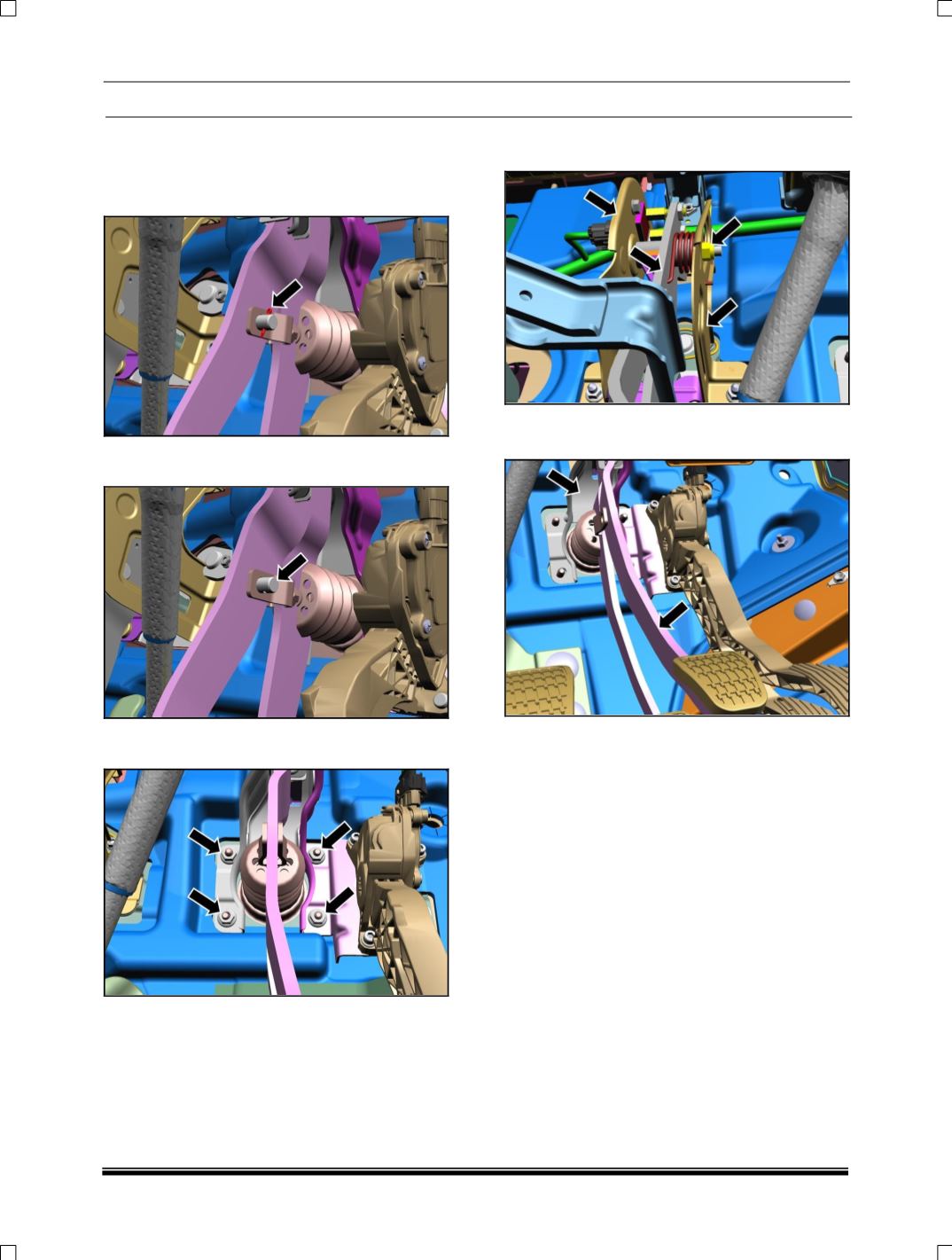
1. To disconnect pedal from brake booster
remove split pin as shown in fig.
2. Remove clevis pin to separate booster
assembly from pedal.
3. Loosen and remove the brake mounting M8
nuts from panel firewall RHD.
4. Loosen and remove the clutch pedal bracket
and lever assembly.
5. Pull out the brake mounting bracket along with
brake pedal from the driver’s foot control area.
INSTALLATION
1. Hold the brake control bracket on firewall.
2. Tighten the brake upper mounting M8 nut.
3. Tighten the brake mounting M8 nuts on panel
firewall RHD.
4. Match clevis hole to the pedal lever hole and
insert clevis pin into the hole.
5. Insert split pin in to the hole of clevis pin and
split the end of split pin.
NOTE:
1. Not to add carpet over the basic carpet in
the pedal region.
2. Basic carpet should be held firmly in the
pedal region.