




 635 / 948

ELECTRICAL
10
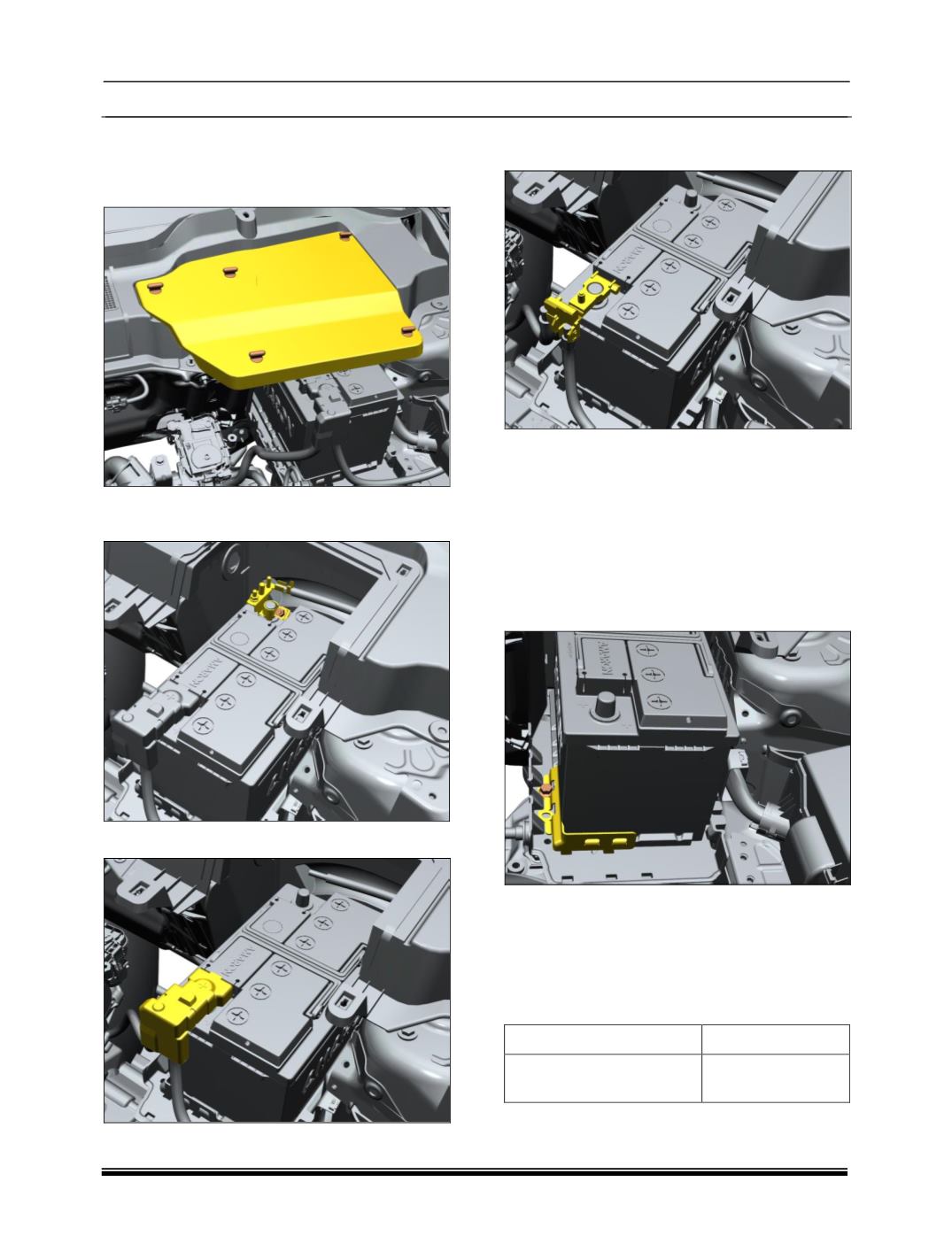
REMOVAL AND REFITMENT OF BATTERY
REMOVAL
1.
Remove middle leaf screen cover.
2.
Remove battery’s negative terminal by
spanner.
3.
Remove positive terminal cover.
4.
Loosen and Remove the nut and take out the
connection.
REFITMENT
Follow the removal procedure in reverse.
REMOVAL AND REFITMENT OF BATTERY:
REMOVAL
1.
Remove middle leaf screen.
2.
Remove Battery cable Terminals.
3.
Remove Battery supporting clamp.
4.
Remove battery’s bottom clamp with removal
of bolts near battery.
5.
Remove Battery from battery tray.
REFITMENT
1. Put Battery on Battery tray.
2. Tighten Battery holding clamps.
Refit Battery cable Terminals.
BATTERY CLAMP TORQUE TABLE
APPLICATION
TORQUE VALUE
Mounting
Screw
for
Battery on Clamp (M8x18)
1.2– 1.3 Kgfm