




 930 / 1050

BODY
40
9.2.21 ORVM
REMOVAL
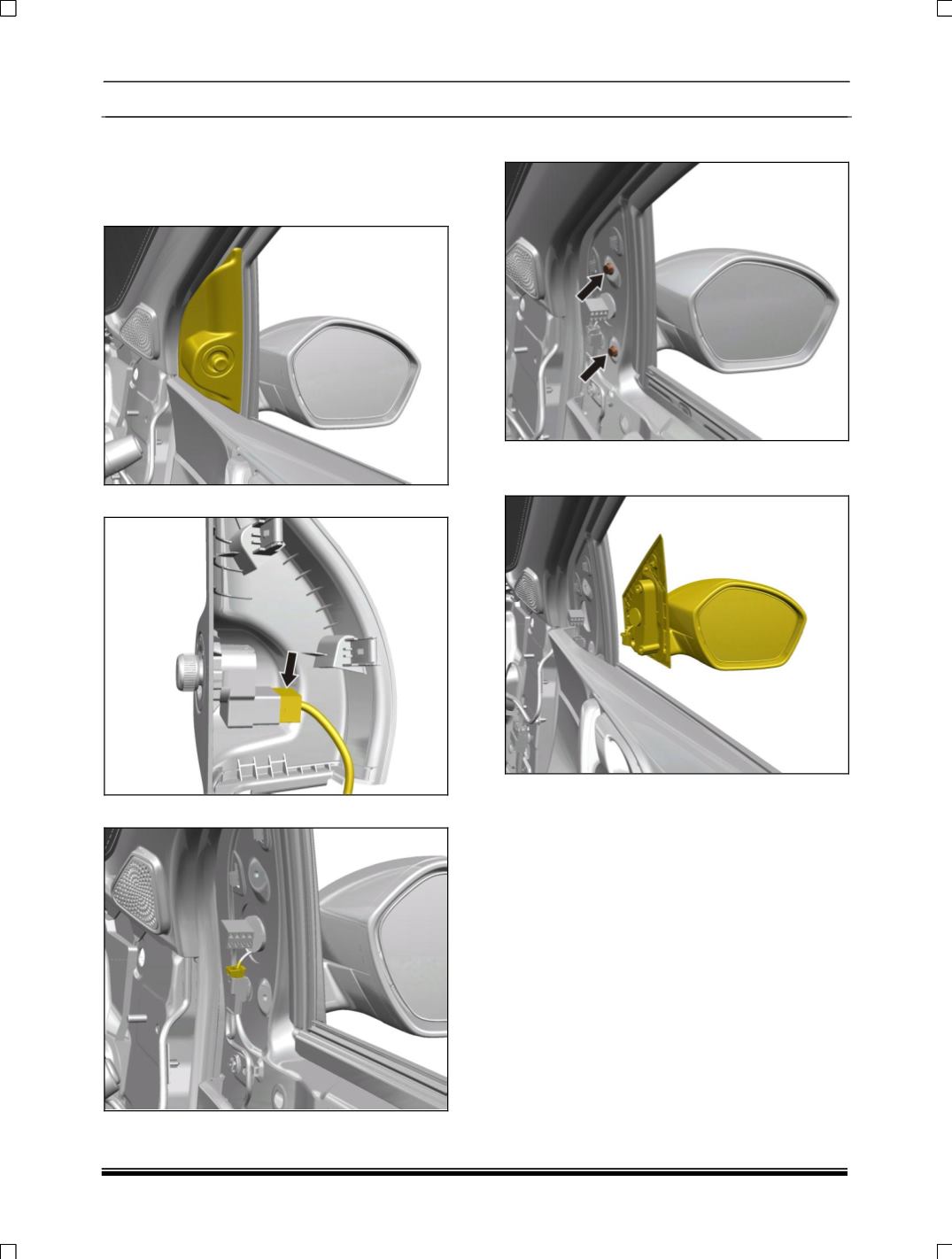
1. Pry out inside cover plate along with Power
mirror switch.
2. Disconnect power mirror switch.
3. Disconnect the electrical connection
4. Loosen and remove 2 mounting screws
5. Remove the ORVM assembly from the door
shell.
FITMENT
For fitment follow the reverse procedure of
removal.