




 736 / 1081

ELECTRICAL
68
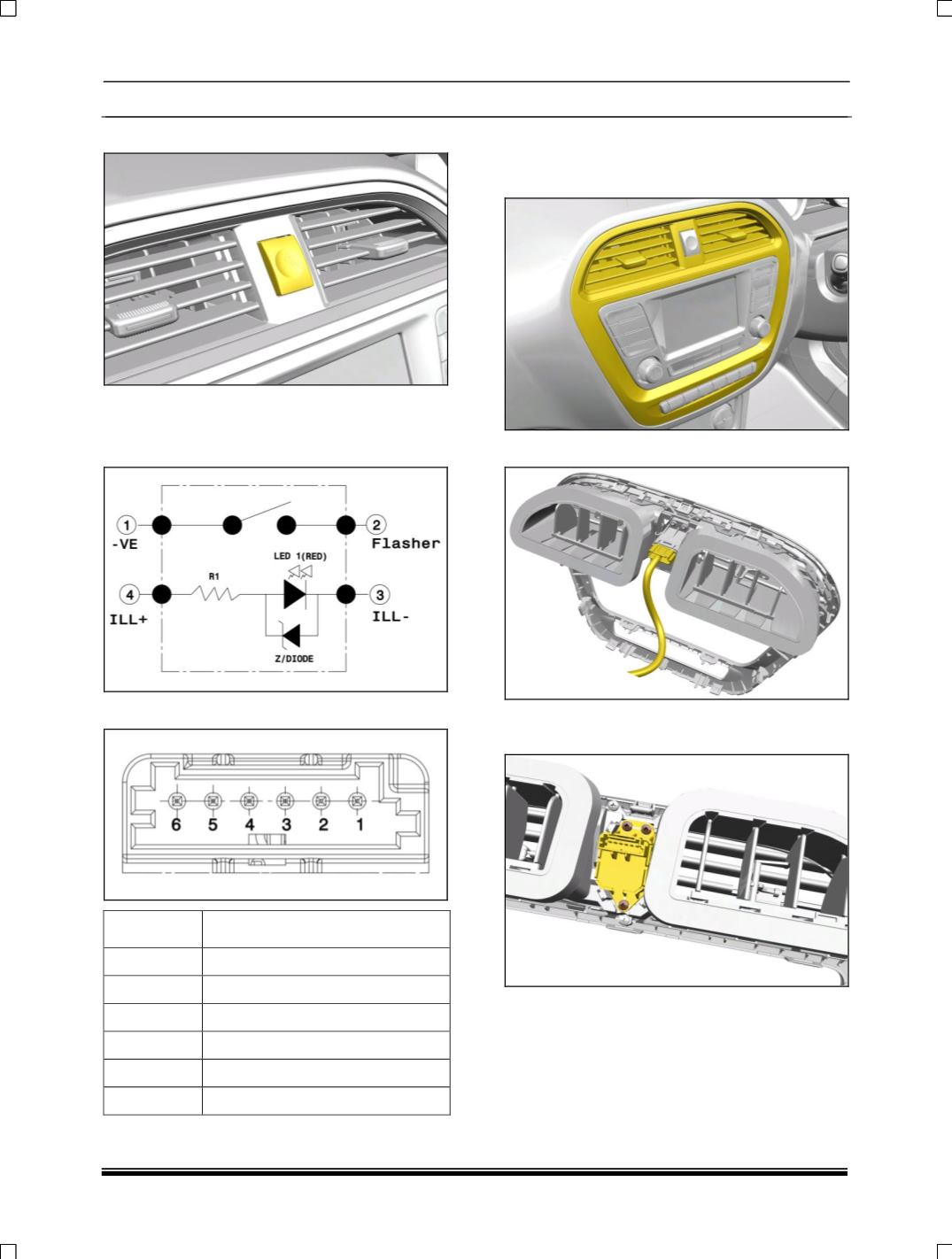
16. HAZARD SWITCH
When the switch is pressed, hazard waning
indicators start flashing.
CIRCUIT DETAILS
PINOUT DETAILS
PIN
DESCRIPTION
1
-VE
2
FLASHER
3
ILLUMINATION -
4
ILLUMINATION +
5
NC
6
NC
REMOVAL
1. Carefully pull out fascia switch cover along with
the air vent cover.
2. Disconnect the electrical connection.
3. Remove the three mounting screws and take
out the switch.
REFITMENT
Follow the removal procedure in reverse.