



 735 / 948

ELECTRICAL
110
3. Locking all doors
Pressing the Lock push-button (3) once.
Remote locks all the doors of the vehicle.
4
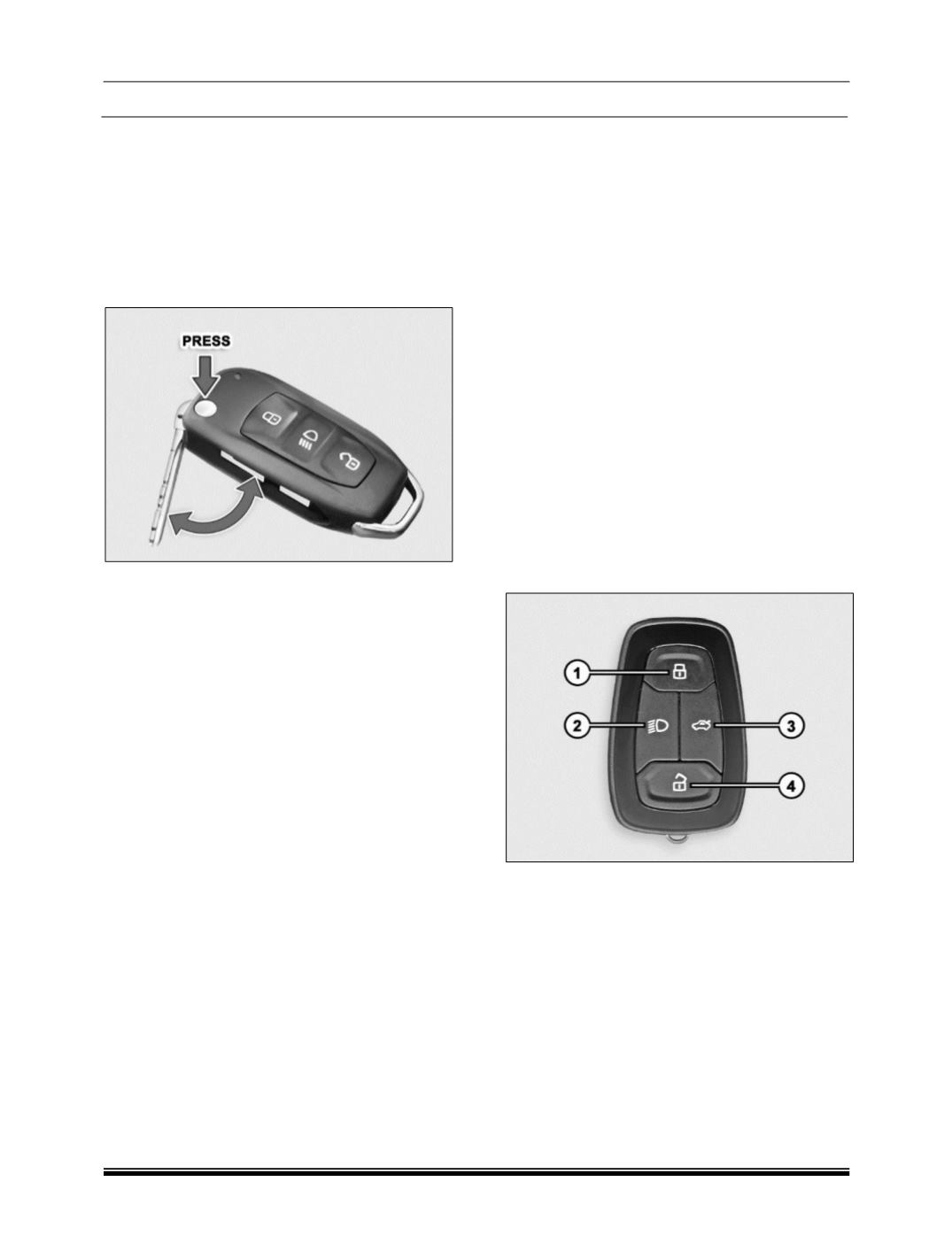
. Folding key blade IN / OUT
Press button (4) to flip out the key blade.
For folding, press the button (4) and fold the key
blade inside.
NOTE
Key Blade should not be fold without pressing the
button. In addition, it should not be force in any
direction apart from folding direction to avoid
damage to Flip Mechanism
Flip key Features
Vehicle search
In vehicle locked condition if lock button on remote
key is pressed the turn indicators of vehicle flashes
4 times.
Automatic activation of immobilizer
If key is removed from ignition, the engine will be
immobilized automatically even if you forget to lock
the vehicle.
For few variant, Ignition off is required to immobilize
the vehicle.
Auto locking / unlocking of doors / auto relock
Vehicle doors get automatically locked when all
doors are closed and the vehicle speed crosses
10 kmph. Please refer section starting and
driving for more information.
When ignition key is taken out all the doors, get
automatically unlocked.
For few variant, when ignition is turned off all the
doors get automati- cally unlocked.
Also, when unlocked with remote key and if no door
is opened within 30 sec- onds, vehicle doors get
automatically locked.
Anti-grab / anti-scan coding
The remote control set of this security system is
protected against the use of devices called
‘scanners‘ and ‘grabbers’ which can record and
reproduce some types of remote codes.
Sleep Mode
If remote key is not used for more than a week then
its functionalities will turn to sleep mode. In such a
case, to activate the remote key functionalities,
open the door mechanically with the key blade.
NOTE
In case any button of the key is accidentally
pressed for more than 20 seconds, the remote
stops functioning till the time the button is pressed.
The LED on the Remote also stops glowing. The
function of the remote gets reinstated immediately
when the user stops pressing the push button of
remote.
2. SMART KEY
Keep the smart key with user to perform the
passive access. It is used for locking, unlocking
and starting the vehicle.
1. Locking all doors
2. Approach Light
3. Tailgate opening
4. Unlocking all doors
Smart Key is used as a passive key for Passive
Entry and Passive Start operation. The Smart Key
is same RKE remote (with all its existing
applications) having additional capability of
receiving LF Signal and transmitting RF signal
required for passive access to the vehicle.