




 992 / 1131

ELECTRICAL
222
NOTE
Turning the ignition ‘OFF’ ‘while the Park assist
feature in running would disable the feature.
Reverse park assist system preventive
maintenance
1. Regularly clean the sensors and keep them
free from dust, ice, mud, water, chewing gum etc.
for proper working of the system. Use a smooth
cloth for cleaning.
2. Do not use water at high pressure for cleaning
the sensor or camera.
3. Do not cover the sensor surface with any
additional fitment. This will interrupt park assist
performance.
4. Don’t apply external colors, styling stickers,
chewing gums, or any material, which will stick on
the sensors. This will degrade park assist
performance.
5. Don’t put any object like spare tyres or footrest
or number plate, which will cover the sensor and
obstruct its field of detection
Vehicle parking
Park the vehicle in a safe place.
Switch on the indicator signal before turning to
park.
Apply the parking brake.
Ensure that all window glasses are closed and all
lamps are turned ‘OFF’.
At night, put on the parking lights if required.
Remove the key from the ignition switch and lock
the vehicle.
Block the wheel if parked on a slope.
NOTE
When parking on a downhill gradient, place the
gear lever in ‘Reverse’ position. While parking
on uphill gradient, place the gear lever in the
‘1st’ position.
Do not use parking brake for braking unless
unavoidable circumstances like when service
brake is not working properly. The braking
distance is considerably longer and the wheels
could lock. There is an increased danger of
skidding and accidents.
WARNING
Never leave children unsupervised in the parked
vehicle. They could also operate the vehicle's
equipment. There is a risk of an accident and
injury.
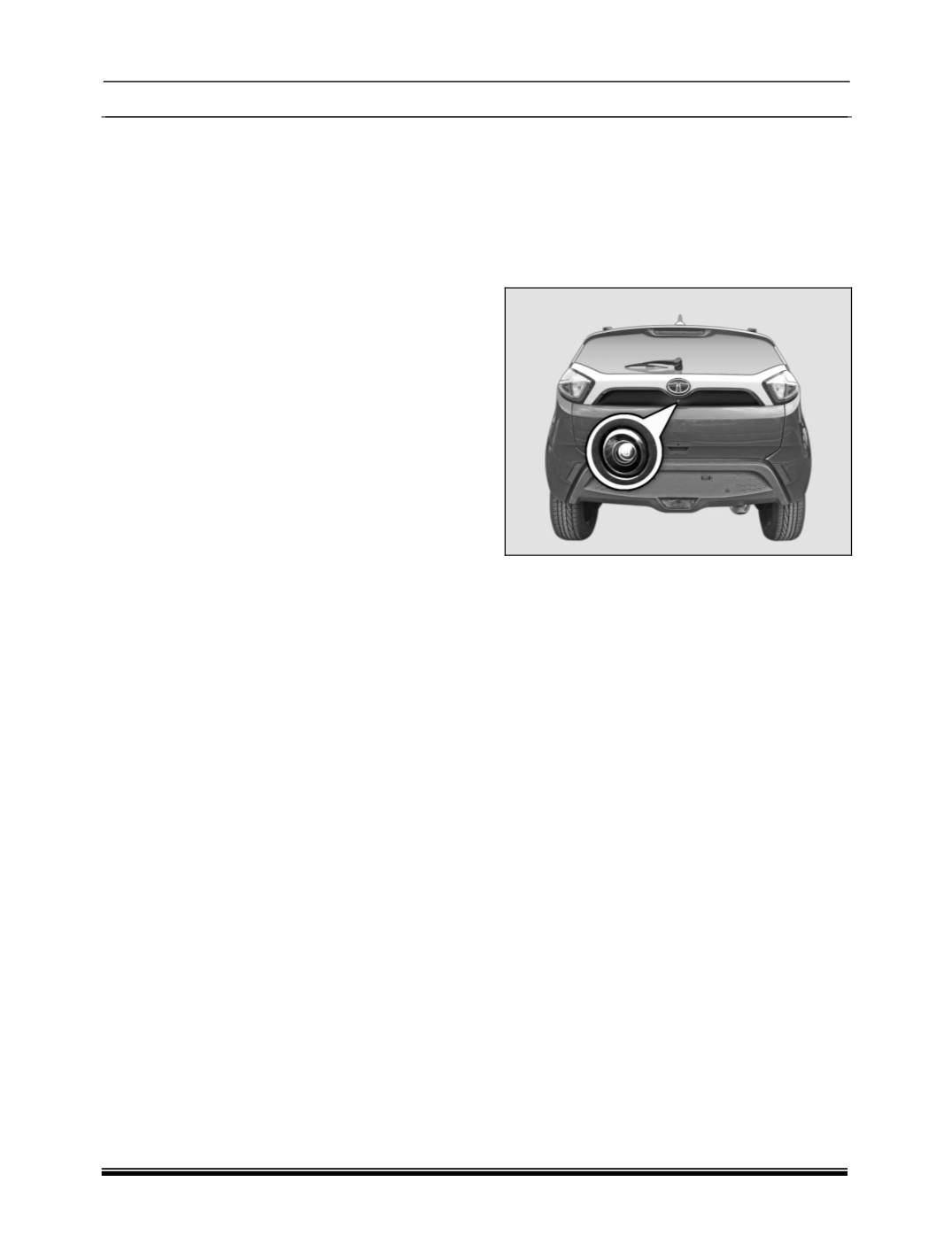
1.30.1 REAR VIEW CAMERA
Rear View Camera is a visual guiding system,
which will guide you while you are reverse
parking.
Rear view camera is located on tailgate.
ACTIVATION
There are 2 ways to activate rear view camera.
Reverse gear:
Park assist feature will automatically start
functioning once you engage the reverse gear.
Infotainment music system touch display:
In Infotainment system user interface, press the
following button sequence to enable the park
assist feature
Go to
“Set Up -> Vehicle Setup -> Park Assist ->
Enable Park Assist “
DEACTIVATION
System will deactivate, if Reverse Gear is
disengaged, or Park assist button is pressed