




 1007 / 1526

151
Diagnostic System Installation andOperatingProcedure
2.
Connection Details
Required power supply
Power supply for the Laptop/Desktop
The Interface Unit does not require any external power
supply. It works on vehicle battery, provided through
the OBD cable.
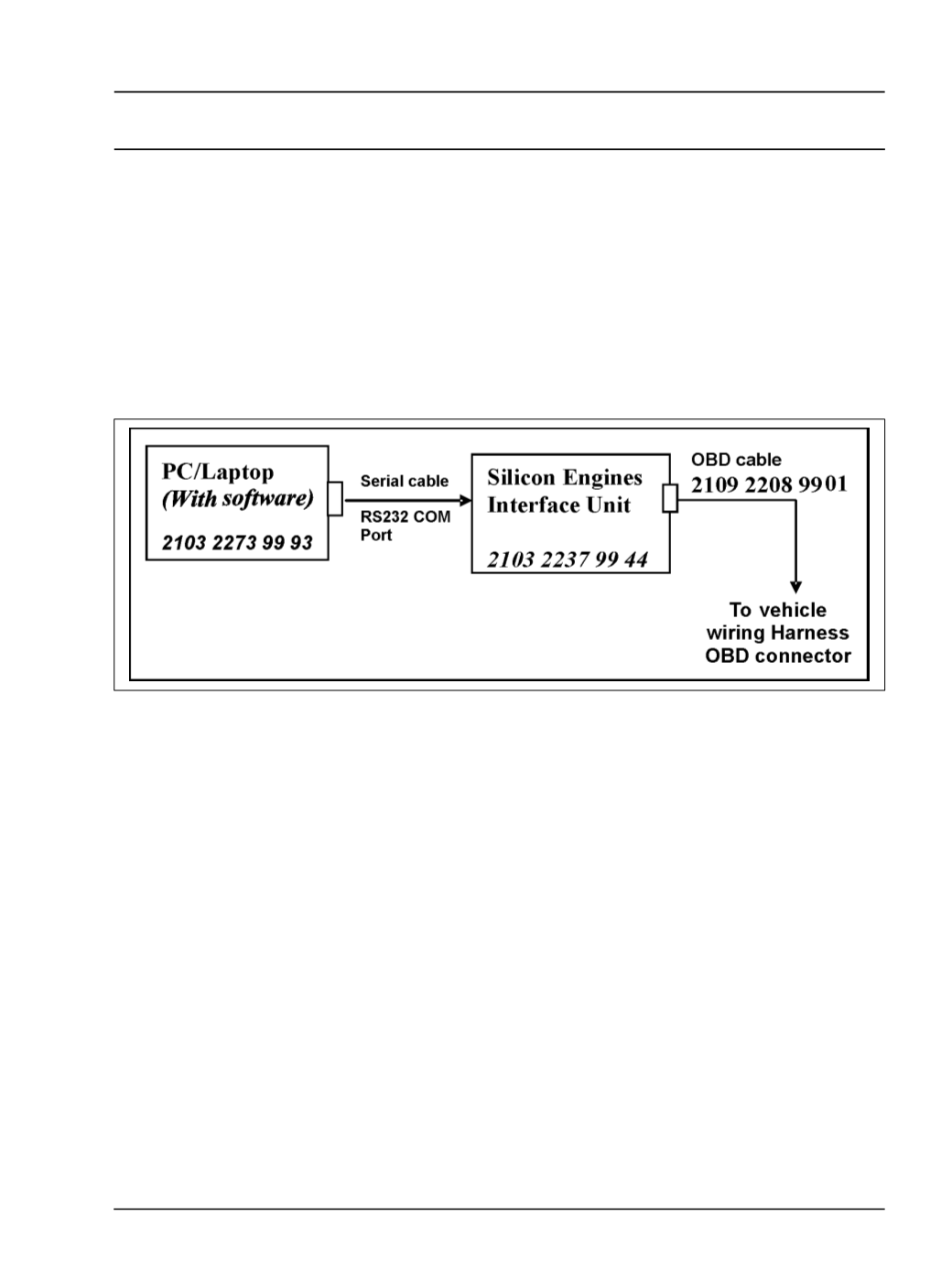
Connect the RS232 cable to the Laptop/Desktop COM
port
The OBD cable is connected to the Diagnostic
connector of the wiring harness.
3.
Specification
3.1. Laptop / PC
Operating system : WIN 2000 /WIN XP or later
version
CPUSpeed
: Pentium 4
RAM
: 256MB
Video Display
: 800 x 600 resolution with 24 bit
colour
RS232 port
: Minimum 1No.
CDROMDrive
Printer Port (optional)
The software works with the above features of a
Desktop/ Laptop PC.
Any other combination of speed and RAM less then
specified will slow down the response of the software.
3.2. Interface Unit
Interface unit fromM/s Silicon Engines, USA
OBDcable
RS232cable