



 1380 / 1525

4
ABS - ECU DIAGNOSTIC
l
After Blinking It will restore its original
condition.
If the lamps doesn’t blink check the harness.
After Completion a message ‘WARNING LAMP
COMPLETE’ is displayed in Status Display.
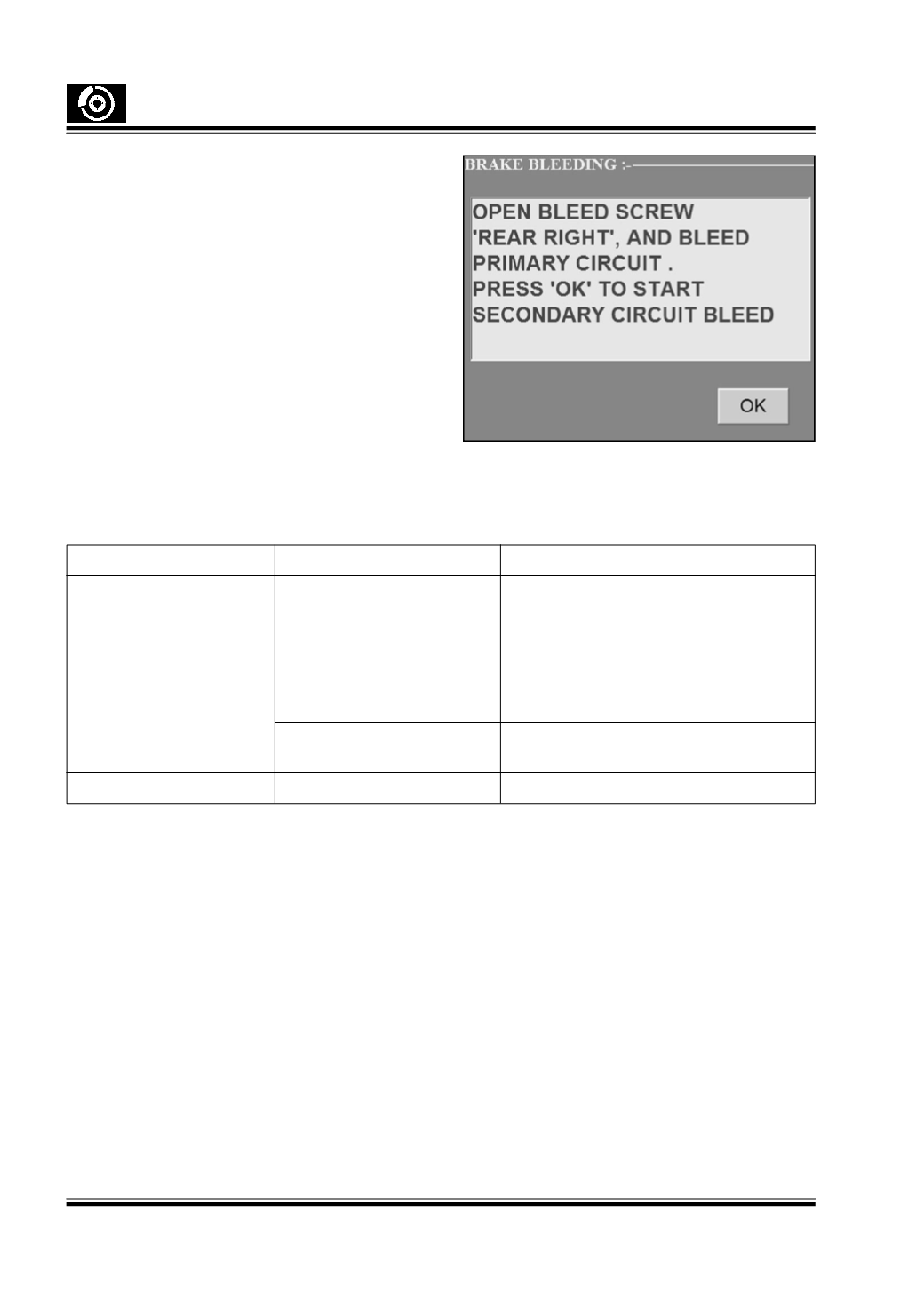
6. Brake Bleeding :
This function is for manual brake bleeding of the
vehicle. Following screen appears after clicking brake
bleeding button. To continue the process follow the
instruction on the screen. After this, bleed By-pass
valve manualy.
7. Stop :
To Stop the communication between the tester and
the ECU.
5. MAINTENANCE :
5.1. Trouble shooting :
Problem
Cause
Remedy
ECU Communication Error
1) LEDs Status on the Silicon Check the OBD cable connection with
Engines (Interface module)
Diagnostic Connector of wiring harness.
Check the OBD cable connection with Multi
protocol Interface module.
Check the ‘DSR’ and ‘DTR’ leds on Silicon
Engines module. If both are Red re-initialise
the unit
2) Com port connection
Check the com settings.
Connect RS232 cable to COM port.
Software Not Working
Corrupt version of Software
Reinstall the software .