



 1051 / 1235

SUPPLEMENTARY RESTRAINT SYSTEM (SRS)
28
3
READ AND CLEAR DTCS
DTC’s recorded in the ECU can be viewed along with the remedial measures which shall help in diagnosing
the vehicle.
After resolving the DTC’s they can be cleared from ECU memory.
DTC’s can be saved for future reference. It requires technician and vehicle related information to save the
DTC’s in Excel file format.
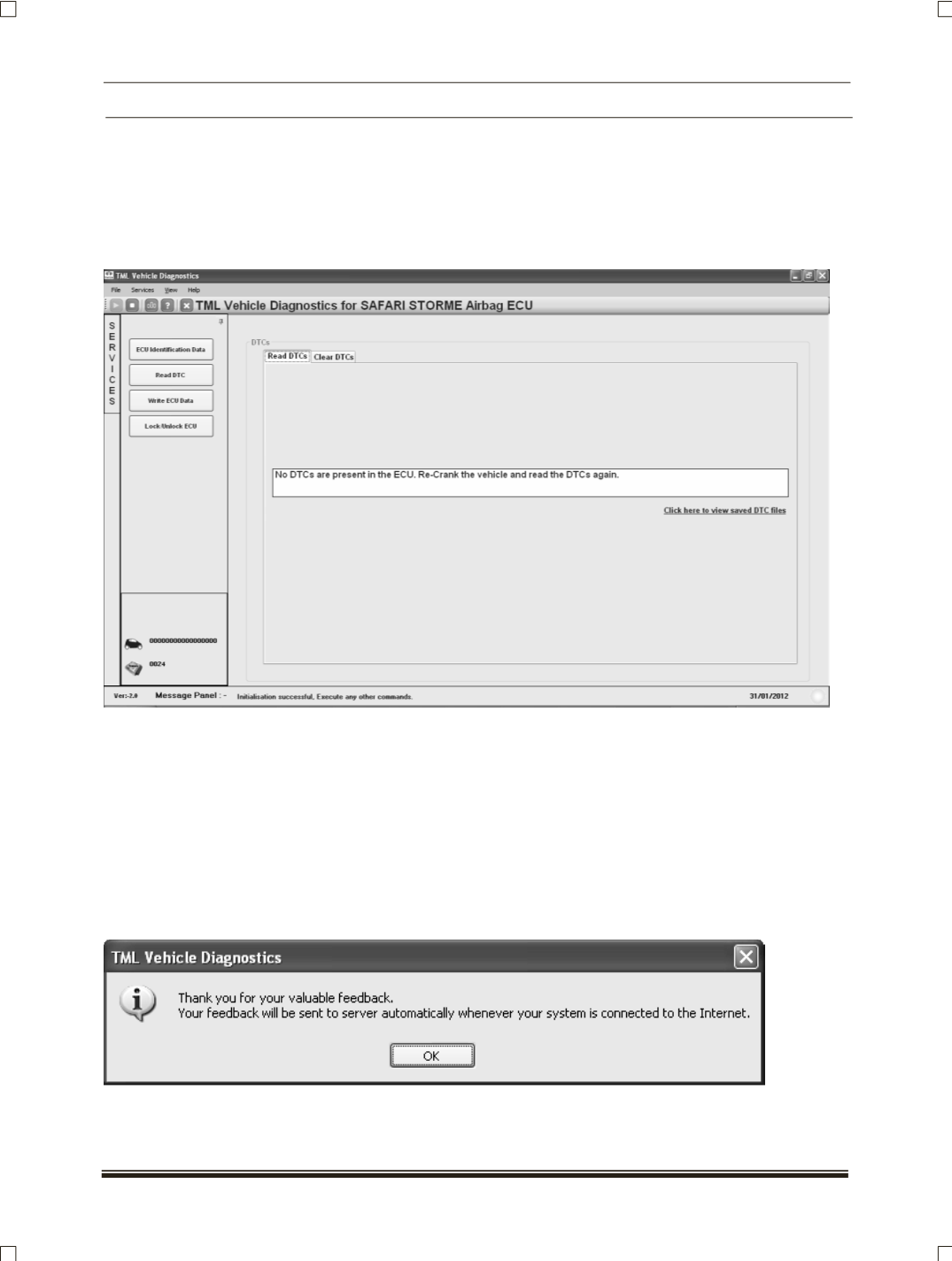
The screens are as shown below.
When the DTC’s are available in the ECU then select any DTC from the list and click on Causes and Reme-
dies button to view the remedial measures.
The DTC’s can be saved for later future reference or may be to generate vehicle report.
The DTC’s related or vehicle problem related feedback can be provided to Diagnostic Support Team. Just
click on the Feedback button available on the DTC preview screen.
The feedback can be submitted against particular DTC or only symptoms can be provided.
After submitting the feedback the data will be collected automatically whenever the user connects the
PC/Laptop to the internet.